Hello!
I’ve created a system which allows me to create planets with a radius of 40,000 studs!
heres a video for demonstration
8 Likes
I’m curious but the link is corrupt.
1 Like
Watch unnamed | Streamable Here’s a new link, the videos pretty big and streamable only keeps the link open for a few days
2 Likes
Really really cool!! I love the atmosphere effect  I am planning on making a game that features a planet system similar, so I’m wondering - how are you handling players naturally rotating and moving fine as they go on different areas on the planet? I assume at some points players are inverted along with their cameras. I’m curious how players rotating around looks to other people, is it only support for one planet?
Try using FreeConvert and getting the size down to the upload size for the devforum. I use it all the time, works amazing.
2 Likes
thats cool as hell, watching you just keep zooming out was lowkey crazy
1 Like
this is 8/10👍 is this procedurally generated?
Yup, it can support multiple planet instances with different noise sampling, I’ve already made a moon noise, I’m not currently at my desktop I can’t really give an accurate showcase
I’m currently reworking that part of the system, once I’m done I’ll give you an accurate description
2 Likes
I completely missed this reply and the link again! Sorry can I see?

1 Like
https://youtu.be/rLwm5KDcMxI knock yourself out, this is a perminant link
1 Like
I’m curious, How’d you get this to work so seamlessly? Generating something of this scale (especially with editable meshes) should be pretty laggy. I’ve tried incorporating an LOD system into mine. but still, it just doesn’t work well. Let alone other details like materials, colors, or atmosphere like you added. Are you using some method to work around roblox’s maximum size of 2048? Are you generating your planet all at once or are you only generating only where the camera could see?

Right after taking this picture, I hit 4 fps. I let it finish loading, and the most fps I was able to hit was 15.

huh, so i must be overthinking with my optimizations lol. anyways, thanks! love what youre doing, its truly awesome!
1 Like
If you want to do the quadtree splitting method without running into the 2048 part size limit then i suggest using special meshes to render the planet. If you want to go even further (literally), Roblox has a max rendering distance of 100k studs so you can just make one special mesh of the entire planet and create some forced perspective illusion. Once you’re near the ground, render the scene as mesh parts for collision.
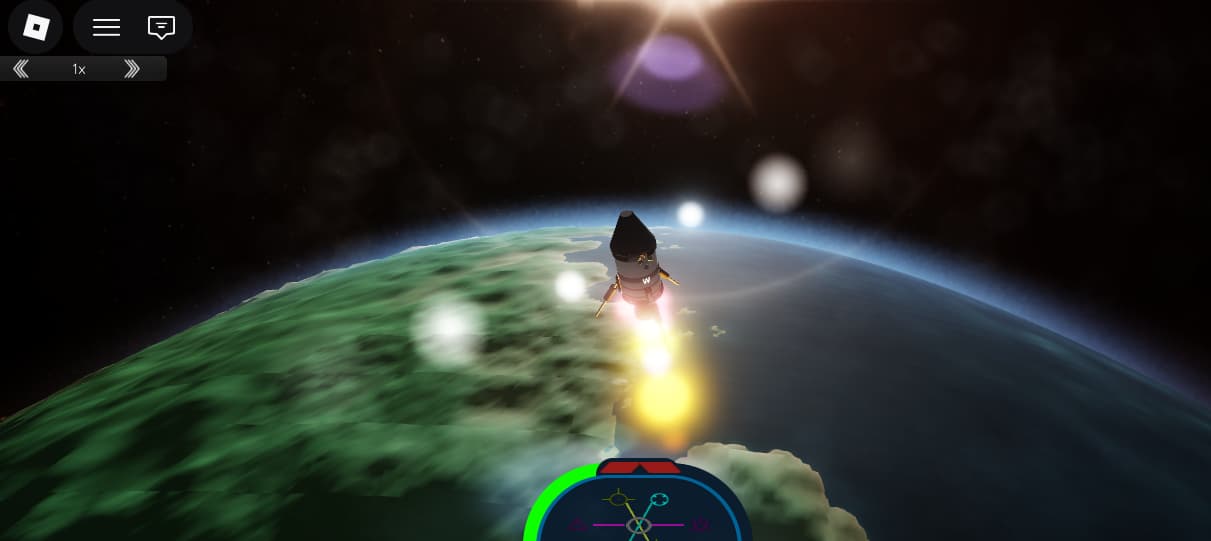
I was able to get something like this using both methods where the planet has a radius of 6 million studs. Of course also had to implement an anti floating point precision script as well but it’s relatively fast using the LOD system + special meshes.
4 Likes