I was fooling around in ROBLOX Studios and seeing if there are any ways to change an NPC’s part material. But it seems its only possible with players? Is anyone else having this problem, and if so, a fix?
I have this issue as well, the only solution I could think of was either setting the texture ID directly or duplicating the npc, removing the humanoid in the duplicate, setting the material in the duplicate npc, making the main npc’s body parts 0.2 transparent then grouping them together giving an end result of

I was fiddling around more, and i found the REALLY odd, but it only allows you to change the material, so far at least, unless theres another way, but only if they have no clothing articles on. Which is REALLY weird, probably a rendering bug or somethin’, dunno if this was intention or not.
you could duplicate the limb, change the material and resize them until it gives the effect that the entire npc is that material:

I could, but your character’s upper torso and head isn’t diamond metal, and if you were to do that, you’d override the shirt texture and face decal.
Alright, I’ve just experimented with it a bit in studio.
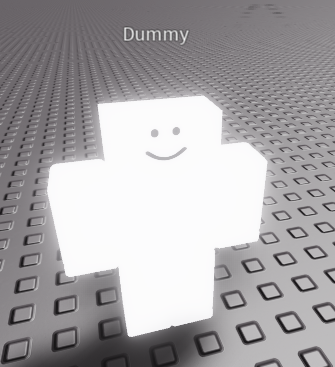
Test on Dummy created with Rig Builder Plugin
I was able to change the NPC’s part materials with ease.

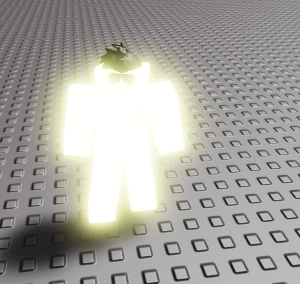
I assumed the head was not changed due to its mesh, so I removed it.
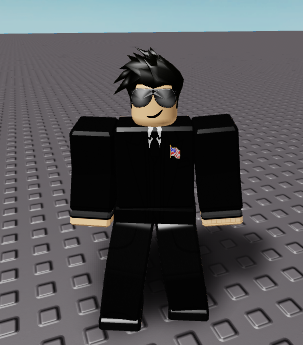
Test on my character
When I made all the parts neon, it seemed to have no effect until I deleted my clothes
Normal:

Neon:
Neon without clothes:
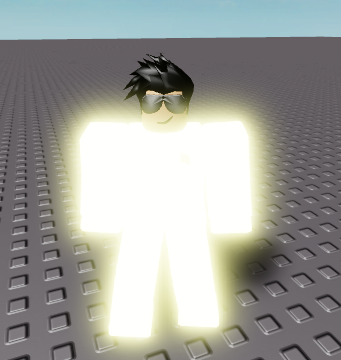
I assume the head is normal due to its Special Mesh. Let’s try removing that.
Neon without clothes and special mesh:
So how am I supposed to edit the character material without removing the clothing?
To my knowledge its impossible.