Similar to many earlier posts this year, me, along with many of my friends, have been experiencing consistent occasional stuttering in all Roblox Games. This occurs in all games, even baseplate, regardless if anyone is in the game.


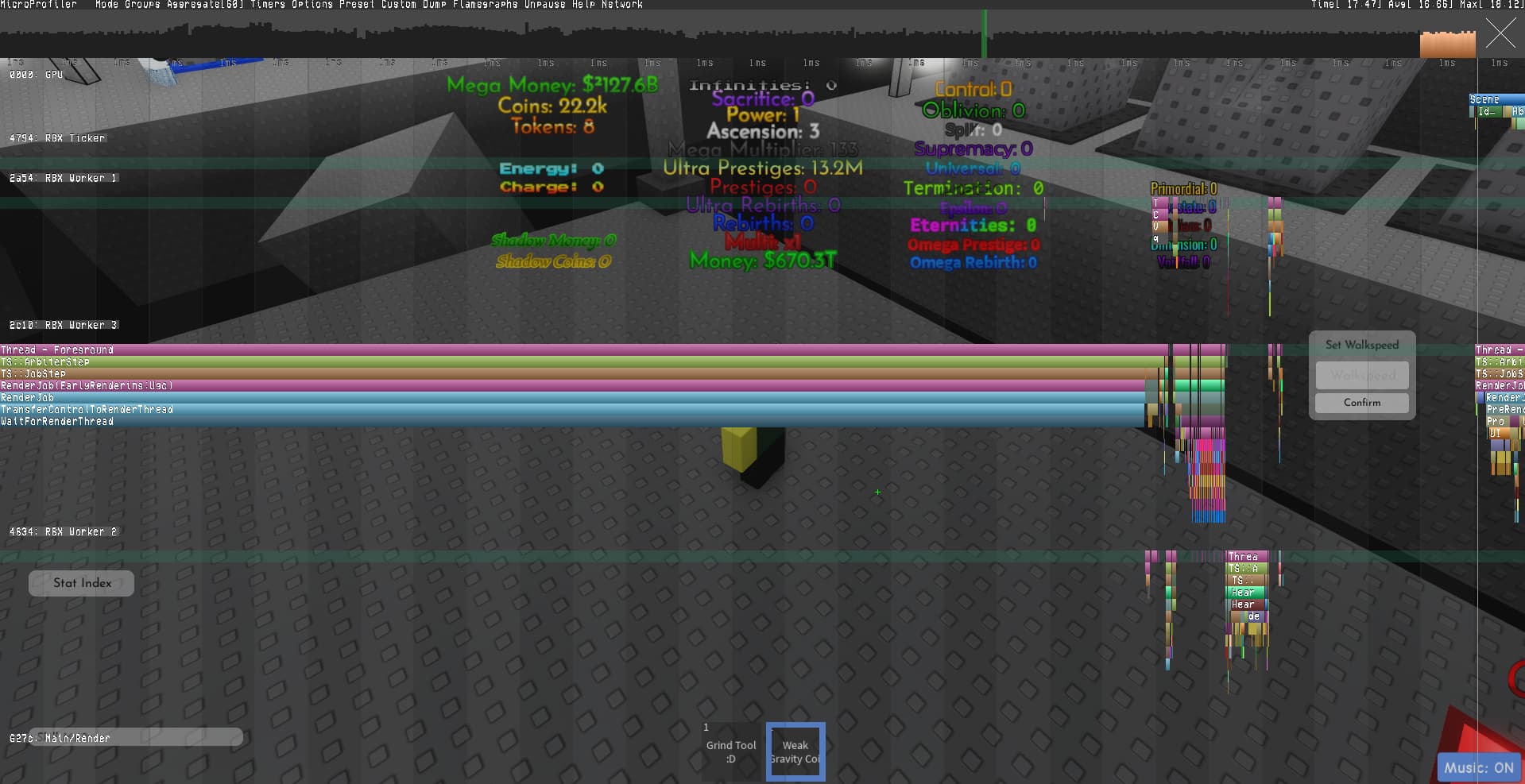
THIS OCCURS REGARDLESS OF MICRO PROFILER BEING ON OR OFF
These spikes are typically from 15-40ms, and last between 1-7 frames. They get worse the longer you are in the game. When you join a game, these spikes only occur around once per minute or two. After around an hour in the game, you begin seeing these spikes once every 20-40 seconds.
Hardware:
CPU: AMD Ryzen 7 9700x
Motherboard: Gigabyte B650 GAMING X AX V2 ATX AM5 Motherboard
GPU: RTX 5070 TI
SSD: Samsung 980 PRO SSD
Ram: G.Skill Flare X5 32 GB (4 x 16 GB)
Resolution: 2560x1440
OS: W11 Pro 24H2
Steps Performed:
Full GPU Driver Reinstallation with DDU Uninstaller
Motherboard Bios Reset to Optimized Default settings (EXPO Enabled)
All Nvidia related settings set to default
Removed GPU and CPU Overclocks
Checking with Simultaneous Multi-Threading on and off
Changing Roblox FPS
Reinstalling Roblox
Clean boot (No background apps)
Testing on both regular and Microsoft Store Roblox
Parking cores with Process Lasso (Every combination attempted)
Removing Overlays
Lowering Roblox Graphics Quality
Changing Roblox Rendering Engine through FFlags (Dx10, 11, Vulkan, OpenGL)
Steps to Reproduce:
Load any game
Wait (Microprofiler optional)
See FPS spikes (Most clearly visible when above 60 fps)
I found @Crazyblox 's message about this issue, and I found the exact cause.
“The stutters originate from launching a game from the Roblox app’s homepage.”
Crazyblox also mentioned that the issue was fixed if you went into the games page directly before pressing play, but this did not solve the issue for me. I needed to fully close Roblox before playing in order to remove stuttering.
Testing this, I confirmed this was the case. If you fully shut down Roblox, and then directly load into the game by launching through a browser, these stutters never occur. This is a blatant issue with the Roblox App Homepage, and has not been fixed, despite CrazyBlox reporting the exact cause half a year ago.
Steps to Reproduce:
- Fully close Roblox (verify RobloxPlayerBeta.exe is not running)
- Open the Roblox App
- Click “Play” on any experience directly from the homepage (not from a game’s page)
- Observe frametime spikes every 20s-120s
- Close Roblox, then launch the same experience directly from a browser link
- Observe completely smooth frametime (no spikes)
It appears the Roblox App homepage web component (Electron/CEF) continues running background scripts after a game launches, periodically waking the CPU and blocking the main thread.
This same issue also appears to affect the Android version of Roblox (Possibly IOS? All clients? But more testing has to be done)
For completion sake, I have attached a dump of a spike that occurred from this issue.
microprofile-20251004-185040.html (1.9 MB)
Additional Information:
This occurs to many of my other friends. Here are their respective CPU’s
Friend 1: Ryzen 7 4800H, 60 FPS, spikes of 1-8 frames at around 25ms each
Friend 2: Intel I9 14900kf, 240 FPS, spikes of 1-7 frames at around 20ms each
They confirmed that shutting down Roblox, then playing directly from their browser fixed the stutters.
I hope to see this issue swiftly fixed, as it is incredibly easy to both accidentally encounter and accidentally fix.
Fix the Roblox App Homepage!
Similar Posts/Sources:
Expected behavior
Expected Behavior:
Proper gameplay, without stutters. The Roblox engine should have a consistent frametime based on your current FPS.

