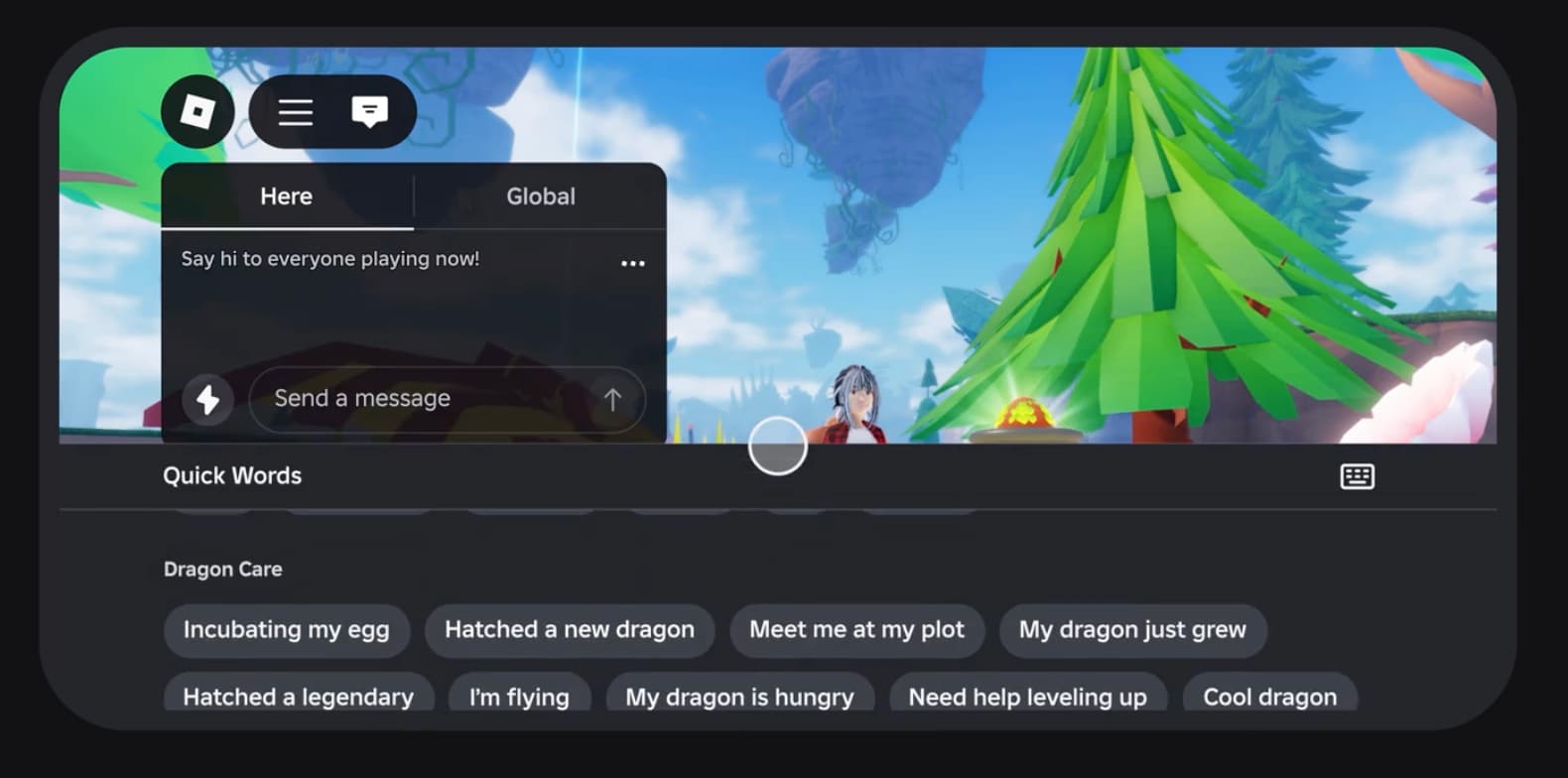
As promised at RDC, starting today you can create and publish custom Quick Words for your game.
While free-form chat is limited across age groups to help protect younger users, players still play together and need ways to keep gameplay moving. Quick Words are a limited set of safe, approved phrases that support gameplay coordination, and now you can define the words that are most relevant to your game.
To get started, go to Creator Hub → select your game → Configure → Chat → Quick Words.
You can add up to three custom categories, with three to ten Quick Words in each category. Your custom categories replace the default Roblox categories, while the General category remains available to users across games. Note: You can only input Quick Words in English.
When you publish, your categories and Quick Words are reviewed against our content guidelines before they go live. If a phrase is not approved, you can revise it and publish again. Review these guidelines on what types of words will pass the policy check and what won’t. Once approved, they will automatically appear in the Chat window, subject to regional availability. Quick Words will be automatically translated based on the player’s chat language setting.
This is a good addition for allowing communication, but I must ask when will the chat guidelines be revised?
Developers who are actively trying to comply with the guidelines released by Roblox are having difficulty doing so when information released by Roblox staff and what’s on the docs differs. Many games are being taken down for this exact reason so please can we get a consistent, comprehensive set of guidelines outlining what is and isn’t allowed on the platform.
Does this feature support custom chat UIs? I would like to know if there is a method to manually open the Quick Words menu for a player when not using the default Roblox chat.
Are there any plans for support for triggering a quickword via TextChatService for games that use a custom chat UI? With the current implementation, this is restricted to games that use Roblox’s default built-in chat UI.
@rbitia_rbx Awesome update! Quick question though, for games with several sub-places that contain different gameplay specifics, can we have a subset for each place-level and not the entire experience level?
For us, we have a train game with each sub-place having different routes. We would love to be able to list our station names as a quick chat option, but we have 20+ stations per route, and each route has different stops.
When will the quick-chat feature be rolled out to everyone? Its been months since its been released and I still do not have quick chat or global chat on my main account despite having it on other accounts and having the setting for it turned on
Sounds good on paper, but the sheer extent of this feature’s limitation makes it very difficult to apply. Definitely better to have this available rather than not, but I do hope it gets expanded on in the future.