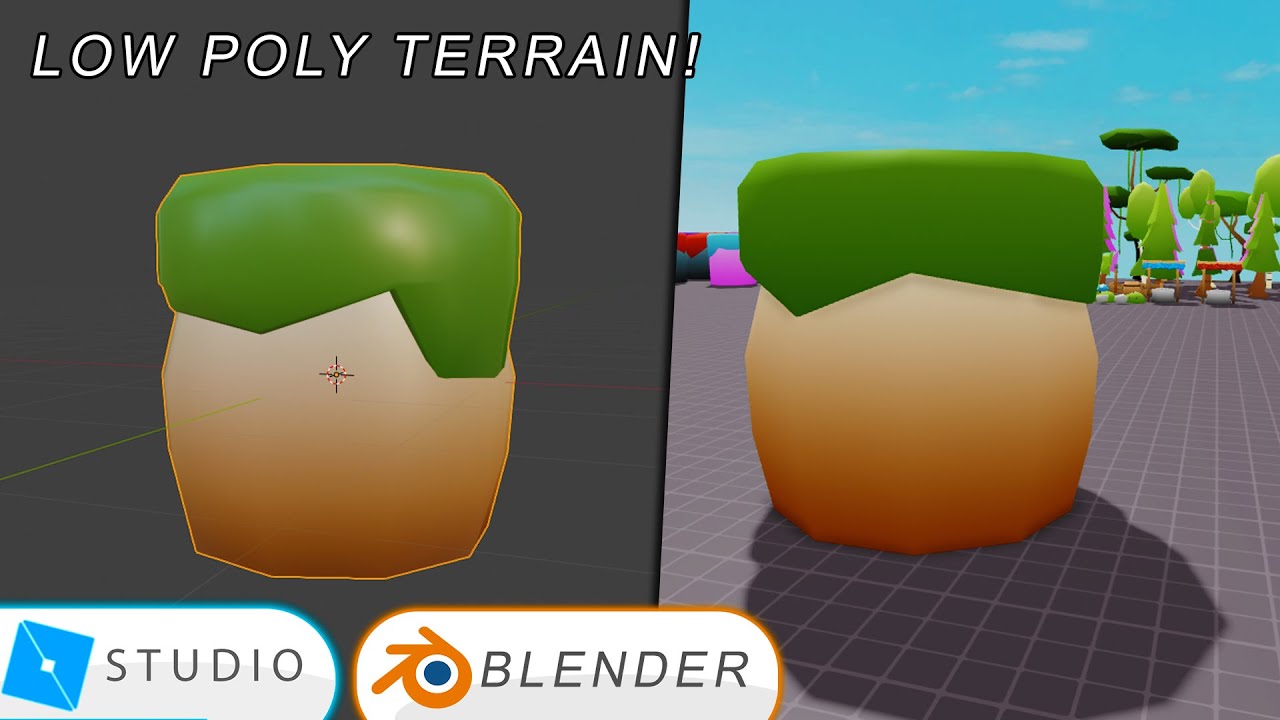
Does anyone know how to recreate the map borders - more specifically the grass overhanging on the map borders as seen in the picture below?

its probably really simple but i havent been able to figure it out yet using blender
Does anyone know how to recreate the map borders - more specifically the grass overhanging on the map borders as seen in the picture below?
its probably really simple but i havent been able to figure it out yet using blender
I assume it’s just two meshes and a texture, or one mesh with UV unwrapping and one texture that has the grass and wall texture.
I can’t tell if it’s flat or there’s an extruded bit where the grass is in comparison to the wall. The shadow could be baked in from the texture, but it’d be easier to extrude. I don’t think it’s Terrain, like the build-in one by Roblox, but it could be with TerrainDetail with various textures. I doubt it though based on the mesh-look here.
Do you know what game this is from? It looks like a pokemon-esk RPG like Doodle World.
It’s from an old version of Loomian Legacy, I believe these map borders were replaced for a newer more realistic model. I’m mainly just wondering how to model the border, like model the overhang
edit:
I’m not sure how to model the overhang with the “triangle” pieces of grass hanging down.
Generally, it’d be going into Edit mode, picking the top of the shape, and using E to extrude, then S to scale on the same Y axis to give off the overhang effect. Then it’d be Extruding it up however high you want to grass.
Adding the triangle pieces, it’d be better to use a texture for performance, but you could manually make cuts and additional vertices on the mesh with the Knife tool in Edit mode. select a vert, E to extrude, which adds another vert, F to fill to make a face, and use the Move tool to make sure it’s all aligned nicely.
Sorry if this is confusing. I can make a video on this to better explain, but it’d have to be tomorrow.
Yeah a video would be great if you could. I’m familiar with Blender but some things do confuse me still
Here’s a video of me trying to remake it: (no mic cause sick, and recommend x2 speed, sorry)

A common tool I use is the Circle select tool [C key] in Edit mode to easily select verts. Click adds to the overall selection. Middle mouse click removes from the overall selection. Esc goes back to normal select mode.
For a more informative video on hotkeys and commentary on the general process, I recommend this video: (even if not the same modeling end goal)
Hopefully that helps 