Hi Creators,
Today, we are moving Adaptive Animation out of beta and into General Availability. This update lets you reuse animations across different rig types and humanoid characters, including custom rigs.
Previously, animations were often locked to the specific rig hierarchy they were built for. With this release, we’ve updated the motion system so your custom rigs can share the same animation library as R15 and R6 avatars, and vice versa.
One Animation, Unlimited Characters
The core of this system is the HumanoidRigDescription (HRD): a “translator” that bridges your unique skeleton with the platform’s animation system. This connection works in both directions:
- Bring Platform Animations to Custom Rigs: Your custom characters can now instantly use the full library of R15 animations available on Roblox, including walks, runs, and emotes.
- Author on Custom Rigs: You can create animations on custom rigs and use them on standard avatars (R15/R6) without extra retargeting steps, when the target avatar supports retargeting.
- Preserved Quality: We’ve improved how motion is translated between rigs. This ensures that your character’s personality and intent remain intact regardless of their proportions.

High-Fidelity Hand Movement (DRD)
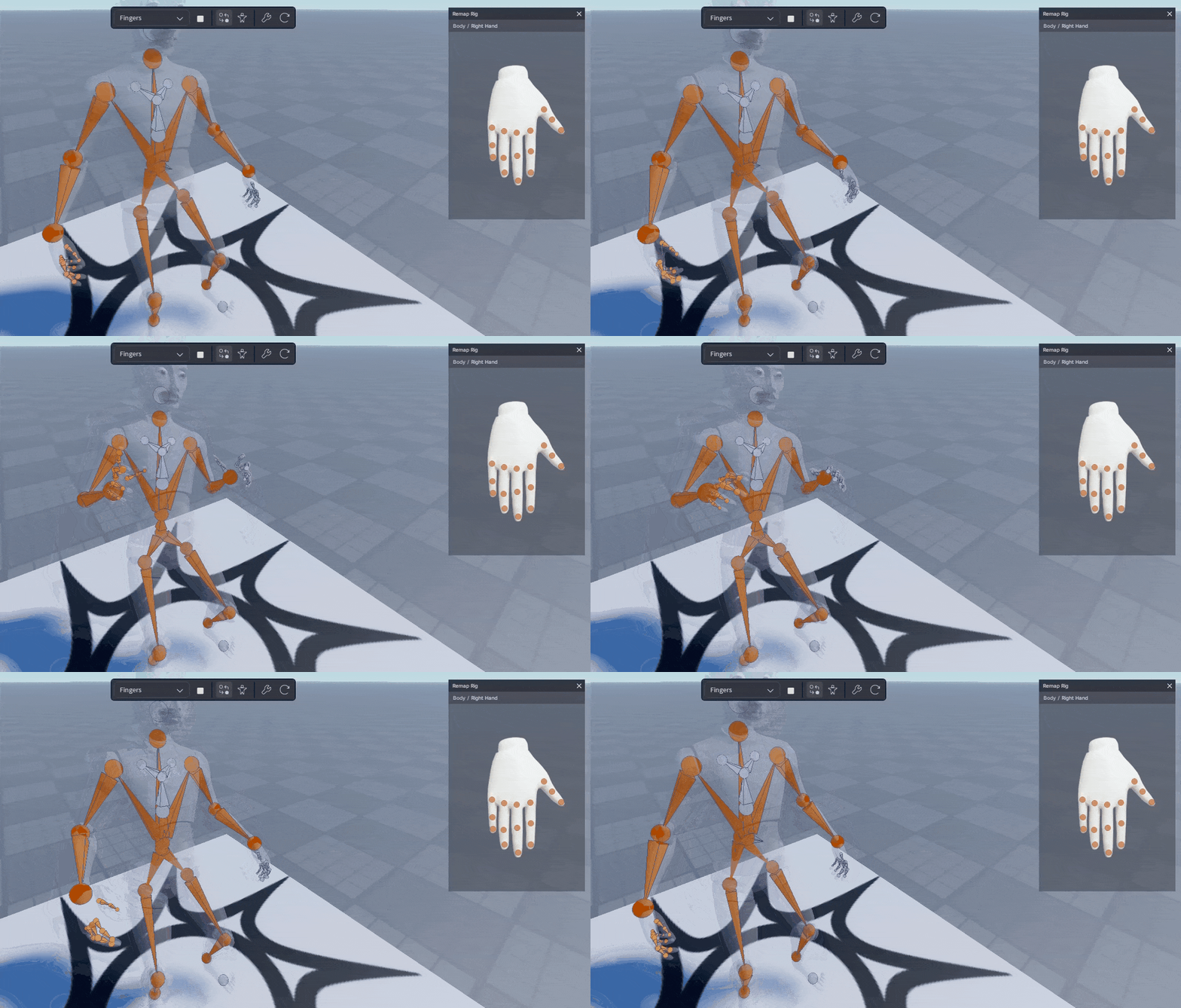
Based on your feedback during the beta, we’ve also included the DigitsRigDescription (DRD) instance. This brings the same “universal translator” logic to hands and fingers.
-
Complex Finger Support: Map up to 15 joints per hand (3 phalanges per finger) for highly expressive gestures.
-
Cross-Hand Sharing: You no longer need to animate hands specifically for every new character. Animations will retarget between different hand structures using the DRD.
Automatic Setup in Studio
We’ve integrated these tools directly into the Avatar section of the toolbar for better discoverability.
-
HRD/DRD Instance Generation: The Adaptive Animation plugin will generate HRD and DRD instances to your Avatar if one doesn’t exist. Click on the Adaptive Animation icon in the toolbar, select your Avatar, and hit “Create”.
- Note: We removed the “Custom Humanoid" rig type from the importer as you can now use the tool to add HRD/DRDs.
-
Visual Tuning: You can refine these mappings at any time by selecting the Adaptive Animation tool icon under the Avatar tab or by selecting an HRD instance in the Explorer and using the visual editor in the 3D viewport.

Updated Schema Naming
To align with the new high-fidelity R15 standard, we have finalized the following joint names:
-
Spine & Chest: We have replaced “Pelvis” with a Spine and Chest setup. The Spine joint is located between the Waist and Chest.
-
Toe Alignment: To better reflect their function, LeftToes and RightToes are now officially LeftToeBase and RightToeBase.
-
Head Structure: The new schema includes HeadBase parented under the Head Part to support more complex neck and facial articulation.
 Note: If you manually mapped a joint to “Pelvis” during the beta, please update it to the new Spine property using the Properties window or the Avatar Ribbon tool.
Known Issues:
In a few isolated cases, Adaptive Animation can cause characters to hover during certain emotes. This is most visible in low torso movement animations on characters with non-standard R15 hip height.
-
Root Cause: This occurs because the legacy scaling behavior for R15-to-R15 retargeting is not triggering correctly under the new system.
-
Resolution: We have already merged a fix for this behavior. It will be fully active once client version 717 is widely deployed.
-
If issues arise, we recommend updating to the latest client (version 717) for a fix. Alternatively, we can disable the feature for your experience until the update is live. (Just reply to this post if needed.) We also recommend testing with the Avatar Joint Upgrade (AJU), as it is the long-term platform standard.
What’s Next
This launch sets a new standard for character flexibility on Roblox. While we don’t currently support avatars with HRD instances in the Marketplace, we are working to lift that restriction soon.
Adaptive Animation is part of our foundation for better motion tooling. Working alongside the Avatar Joint Upgrade (AJU), it enables more expressive characters and lays the groundwork for automated rigging and articulation updates coming later this year. We recommend testing with AJU enabled now to ensure your motion is fully optimized before the platform-wide transition in May 2026. This will give you time to identify any script compatibility issues before AJU becomes the platform default.
Get Started
- To get started, check out some example avatar files linked here: 3D avatar files and resources
- Adaptive Animation Documentation
- 3D Importer Guide
We want to hear from you. What kind of characters are you planning to build now that you aren’t limited by animation compatibility? Let us know in the comments!
Thank you.
FAQs
Do I need to add an HRD to my existing R6 or R15 avatars?
- No. Standard R6 and R15 avatars are already compatible with the platform. However, you can add an HRD to your R15 for more control over animation retargeting results. For example, finer control over the T-pose or which joints are getting remapped.
Does this affect performance?
- No. This system performs at least as well as our current runtime retargeter. You should not see any impact on frame rates.
What if the auto-mapper misses a joint?
- You can always go in and manually define joints. Select the HRD/DRD instance in your rig and use the “Edit Mapping” button in the 3D viewport to fix it.
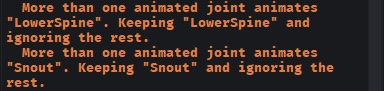


 This is not occurring for all players, but it is for me and I have received a few reports about it. Curiously a different version of the game is working fine in Studio, but I am unable to publish as there is a lot of stuff related to an unfinished update.
