The game’s URL: Super Blocky Ball | Play on Roblox
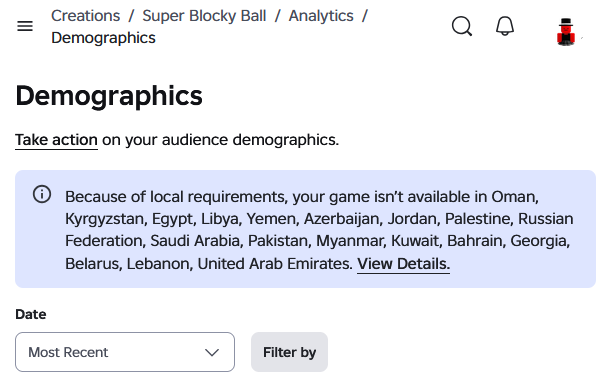
The page for my demographics section of the game’s details looks like this:
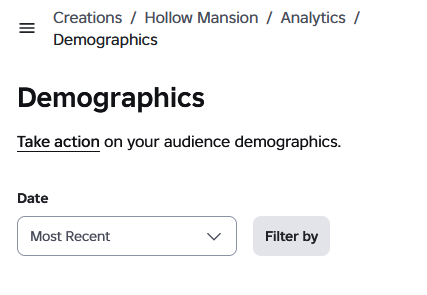
It should look like this:
Clicking “View Details” leads to a public doc and does not provide details of the blocking, and is a dead end for the issue.
Clicking “Take Action” leads to a public doc and does not provide any steps to take any actions, and is another dead end for the issue.
Extra details:
- My game does not feature lootboxes, so I don’t think it’s that.
- My game does not feature copyrighted music, so I don’t think it’s that.
- My game does not feature pride flags while some of these countries ban those, so I don’t think it’s that.
- I have not manually selected any countries to block Demographics | Documentation - Roblox Creator Hub
- My game’s experience Questionnaire has answered “No” to all questions, so I don’t think it’s the questionnaire.
Expected behavior
I expected the “Take Action” button to provide steps to take any actions to fix this. I also expected the “View Details” button to show the details for blocking.
Page URL: https://create.roblox.com/docs/production/analytics/audience