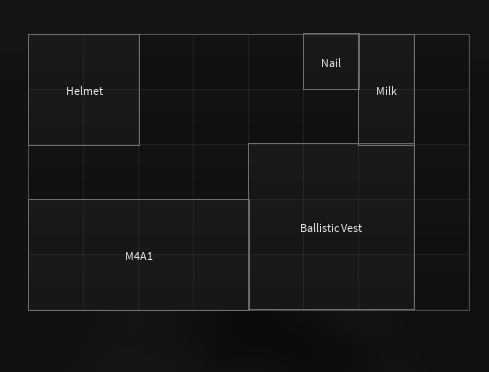
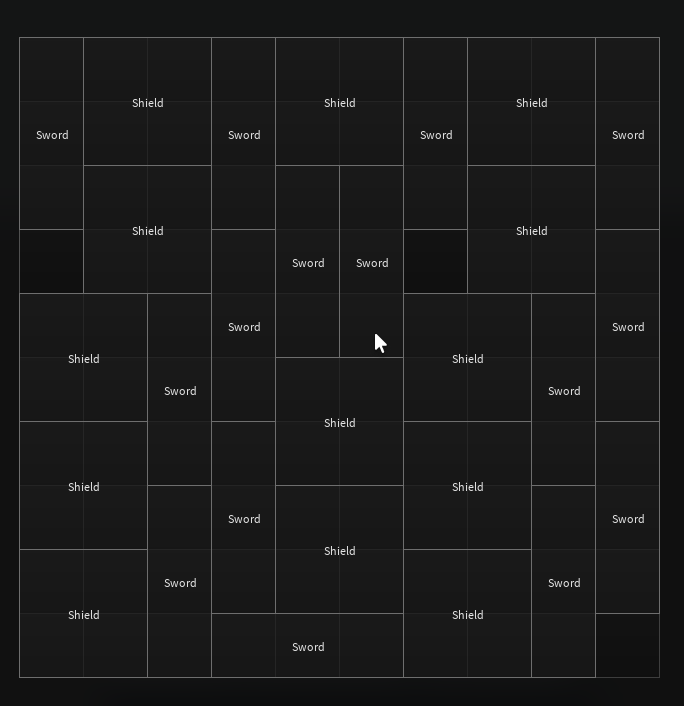
hi guys could someone here possibly help me with my grid inventory system
i’ve been trying to perfect the grid position and size so the uistroke border doesnt double stack or overlaps for a few day now
here the snippet of code that does that if code look weird i tried to use ai to solve this before posting my problem here
function Inventory:makeItemFrame(item: ItemData): Frame
     local wCells, hCells = self:_getItemDimensions(item)

     -- Get the top-left cell
     local topLeftCell = self:getCellFrame(item.x, item.y)
     if not topLeftCell then
          warn("Cannot create item frame: invalid position")
          return nil
     end

     -- Get the bottom-right cell
     local bottomRightCell = self:getCellFrame(item.x + wCells - 1, item.y + hCells - 1)
     if not bottomRightCell then
          warn("Cannot create item frame: invalid size")
          return nil
     end

     -- Clone template
     local itemTemplate = self.templates:FindFirstChild("[Frame]-Item")
     assert(itemTemplate, "[Frame]-Item template not found in templates folder")
     local f: Frame = itemTemplate:Clone()

     -- Calculate position and size based on grid cells
     local topLeftPos = topLeftCell.AbsolutePosition
     local bottomRightPos = bottomRightCell.AbsolutePosition
     local bottomRightSize = bottomRightCell.AbsoluteSize

     local containerPos = self.container.AbsolutePosition

     -- Calculate relative to container
     local relX = topLeftPos.X - containerPos.X
     local relY = topLeftPos.Y - containerPos.Y
     local width = (bottomRightPos.X - topLeftPos.X) + bottomRightSize.X
     local height = (bottomRightPos.Y - topLeftPos.Y) + bottomRightSize.Y

     -- Calculate center position for AnchorPoint 0.5, 0.5
     local centerX = relX + (width * 0.5)
     local centerY = relY + (height * 0.5)

     f.AnchorPoint = Vector2.new(0.5, 0.5)
     f.Position = UDim2.fromOffset(centerX, centerY)
     f.Size = UDim2.fromOffset(width, height)
     f.ZIndex = 2
     f.Parent = self.itemsLayer

     -- Set title
     local title = f:FindFirstChild("Title")
     if title and title:IsA("TextLabel") then
          title.Text = item.name
     end

     -- Store which cells this item uses
     item.cellFrames = {}
     self:forEachCell(item, item.x, item.y, item.rotated, function(cx, cy)
          local cell = self:getCellFrame(cx, cy)
          if cell then
               table.insert(item.cellFrames, cell)
          end
     end)

     return f
end
here the image of the border problem