Highlights on any model are rendered/shown on any part within a model/assembly group, even ones with invisible parts.
I personally don’t know if this is a roblox client issue or an issue I’m just having with my graphics driver as a friend of mine hasnt been experiencing said issue.
Started seeing this issue as of today (10/31/2026).
Tried updated my graphics drivers because i thought that was the issue, but it still seems to show the invisible parts, even after updating. I also uninstalled and reinstalled the roblox client and issue was still appearing.
UPDATE/EDIT: Restarting PC didnt fix the issue and is still present, so I assume it is an engine bug of some sorts.
Games Used in Screenshots (Every game I believe has this issue though):
Flood Escape 2 Community Maps (Map Loaded in was with the loader used in game with the id: ox8rth4) - Flood Escape 2 Community Maps | Play on Roblox
Tower Defense Simulator - Tower Defense Simulator | Play on Roblox
Doors - DOORS | Play on Roblox

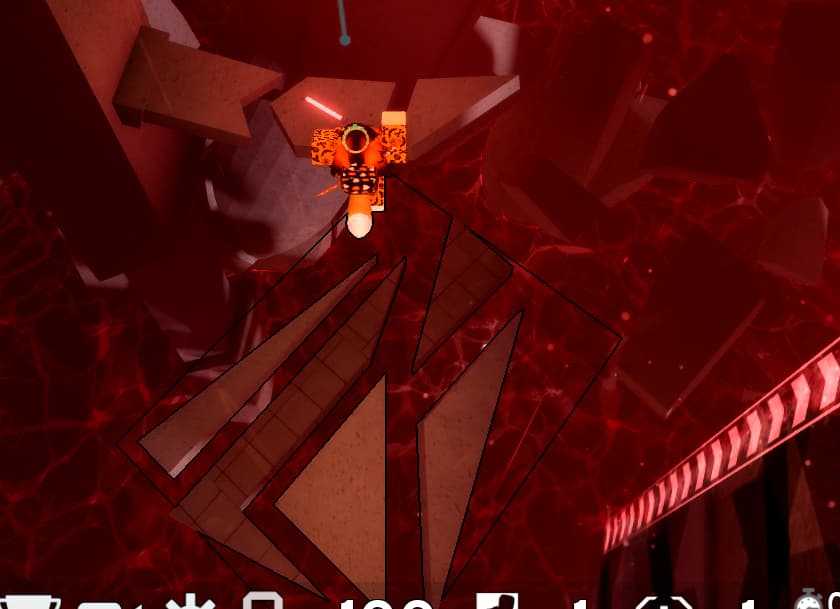
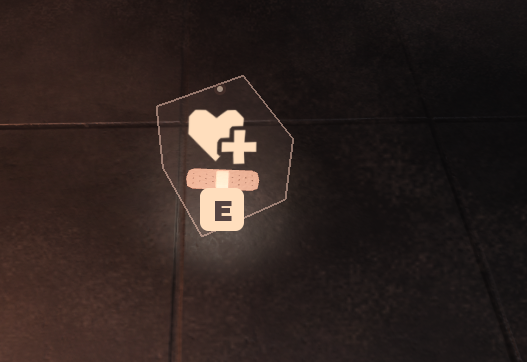
System Information:
CPU - AMD Ryzen 5 3600
GPU - AMD Radeon RX 5700 XT
RAM - 32 GB
Expected behavior
Highlights have been and are i believe still documented as being only for parts with 0 transparency.
A private message is associated with this bug report


 Could you provide more detailed steps to get to the areas in the games you are seeing this issue? Or if possible provide a repro file.