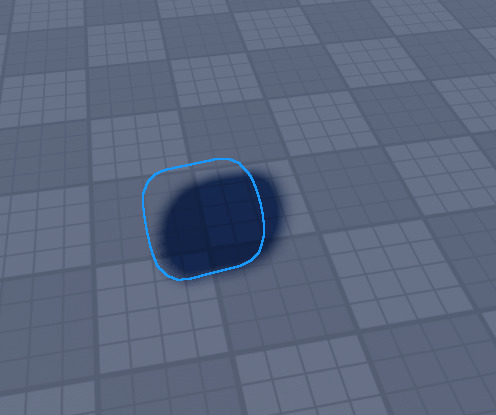
Does anyone know how to have a shadow on a part that is not visible? I looked on forms; they tell me to do something that you can not do anymore (ex. set transparency -inf and material to forcefield)
I did find someone say something about Moder6 in the camera, but I don’t know what they are talking about. I can’t make it visible, or else it will get in the way of the camera. Any help would really help. Thank you!
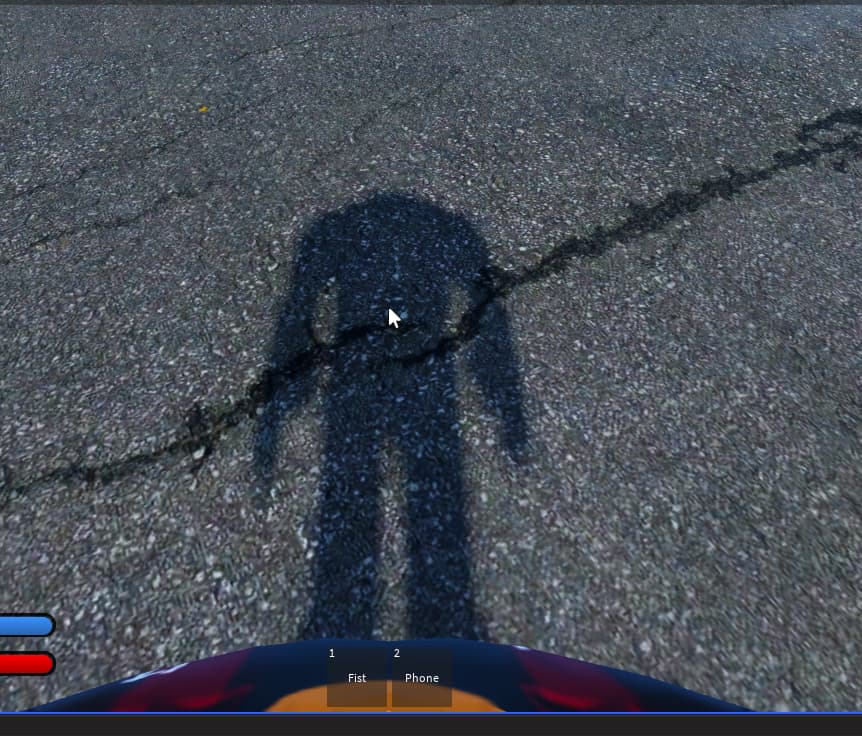
I believe there is a property called LocalTransparencyModifier. Works just like transparency but for the localplayer only.
that… thats what makes the player not have a head

Got it working.
- Set part transparency to inf using math.huge
- Add a highlight instance to the part
And your done. No need for forcefield material. No setting it to -inf.
Try it here: https://create.roblox.com/store/asset/107272720562704/Invisible-Part-w-shadow
For custom camera systems, you’ll want to set workspace.CurrentCamera.CameraType = Enum.CameraType.Scriptable and then update workspace.CurrentCamera.CFrame every frame in a RenderStepped connection:
local RunService = game:GetService("RunService")
local camera = workspace.CurrentCamera
camera.CameraType = Enum.CameraType.Scriptable

RunService.RenderStepped:Connect(function()
    camera.CFrame = CFrame.lookAt(cameraPosition, targetPosition)
end)
Set CameraType to Custom to restore default behavior. Also note that BillboardGuis and other UI elements orient relative to the camera, so custom camera angles can affect how they appear.
Let me know if you need help adapting this!
pretty sure op is asking how to make their head transparent but the shadow still visible. Not how to make a camera system
that does not work on mesh parts