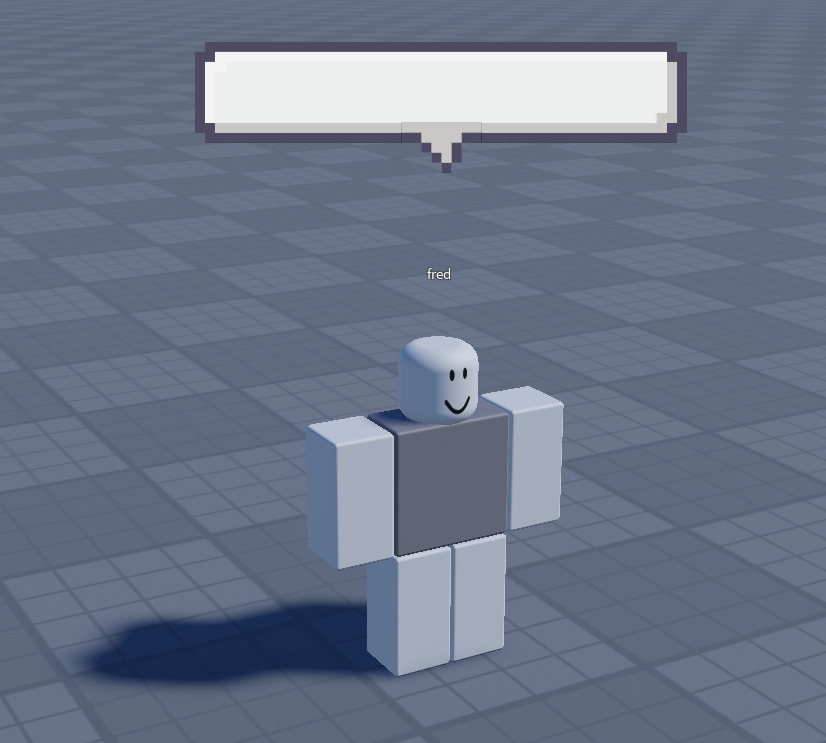
hey guys, I am making a chat bubble for my NPCs, but how do I go about 9-slicing this UI?
my goal is to maintain the chat bubble’s stem. when I put the bubble stem at the corner, it’s width will be maintained during stretching
The tail seems to be slightly larger, make sure that both the bubble and the tail are exported at the same size (meaning if you just connect the raw images they line up properly). Then you just have to make sure to size and position them properly in studio. You could also try just making the tail a little smaller until it lines up.
In the first image it still looks to be scaled/positioned wrong, second image seems correct but has the common roblox issue of images with transparent backgrounds having black outline, to fix that you can try this: