You can write your topic however you want, but you need to answer these questions:
What do you want to achieve? Keep it simple and clear!
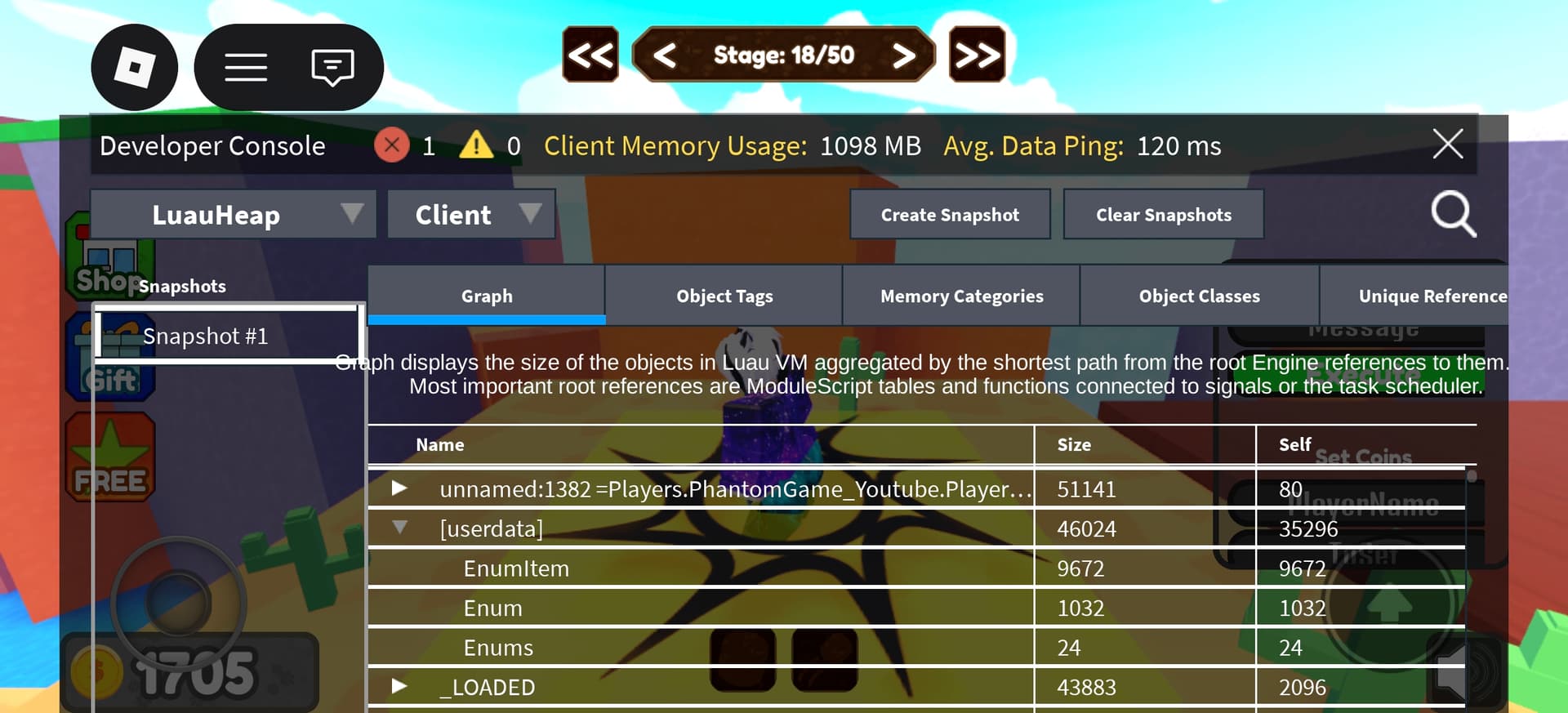
Hello. So, i’m working on my game and started noticing(today) what untracked memory is just absurdly huge. 850 MB for PC device(so Place uses 1100mb on pc without it), and 900MB for Mobile(Place uses only 236 MB, all other is Untracked)
What is the issue? Include screenshots / videos if possible!
I’m not even sure why this happens. I have readed few topics, as i saw it was called probably a bug, but i’m not sure
What solutions have you tried so far? Did you look for solutions on the Creator Hub?
Looked a lot of forums
After that, you should include more details if you have any. Try to make your topic as descriptive as possible, so that it’s easier for people to help you!
If someone knows anything about this, any help appreciated.
Hello Kohinoor Here!
Previously i made a small unsuccessful project called robooth
It did not lag when there were players but as soon as players joined it lagged
maybe check loops in ur scripts and check the graph also as u move around and interact. It will tell u
Hey, not seems to be connected to player count in any way. Just tested on fresh private server with no one except me, still 950 for mobile. Also it’s not displayed in LuaHeap in any way
Edit: Upon reviewing game performance tab it seems pc and console are most affected(2-2.5gb), mobile and tablets are fine(<less than gb). But that’s weird what on my phone it actually 1.1gb, i’m not sure if it’s even same dor everyone
As far as my understanding goes, UntrackedMemory is controlled and managed by Roblox itself as it manages memory on a heap level. In short words however UntrackedMemory works as a sort of free memory left by created variables (memory leak).
If possible, join the game an open the console (either by pressing F9 or writing /console in the chat), go to the server then click on the dropdown log and choose LuauHeap.
test in a live server
this is really important
in studio
start a play then start server
let it run for like 5 to 10 mins
watch memory again
if untracked stops going up → prob just studio thing or asset caching
reduce asset pressure
big stuff to try
make textures smaller
dont use the same meshes twice
combine meshes if you can
delete decals or images you dont use
check surfaceappearances they cost a lot
check terrain bounds
open terrain editor
look for terrain way out of the map
delete stuff you dont need
make playable area smaller if you can
this can save hundreds of mb
dont keep spawning and deleting rigs
instead of destroying npcs
pool them
disable and reuse
this stops animation and humanoid cache from growing too much
use stats right
watch total memory over time
not just untracked
if total memory keeps going up leak
if it stops normal engine caching
Thanks for reply, I’m testing everything on Live server. Untracked memory is constant and not changes. Actual place memory is fine, i already done a lot of those to optimize textures and etc. So everything connected to render takes a little. There are no signs of memory leak in LuaHeap, i,'m sure about it since i fixed one like 30 mins ago. It seems Untracked memory just exists and i don’t understand what to do with it
Edit: Also it seems it’s not constant for everyone, since roblox shows me less than gigab usage for mobiles, and around 1.8 for pcs
Looks honestly weird, because before game released memory was fine on pc and was at max 1300 or smth. I think it probably could happen because of some ongoing roblox internal stuff ig
Edit: I’ll check on this in a 7-8 hours then ans check if something changes
Roblox updates on a weekly basis and they love pushing out random changes that nobody knows anything about. The client’s memory has been steadily rising over the years too. Why? Just bloat. Lots of it piling up.
Yo, for everyone seeing this post after. This seems to be some roblox internal problem, because now after 8 hours from initial post, untracked memory is little 100-200mb. So this is not depending on your code in any way i guess