Details on the bug
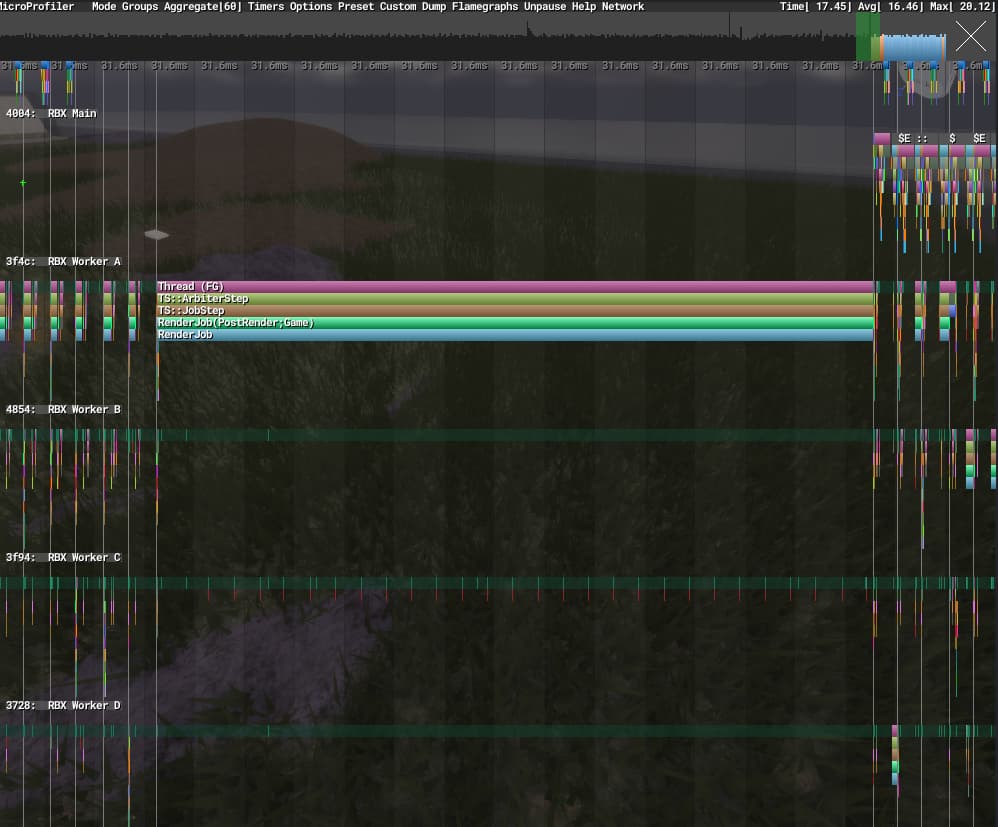
Whenever I click in workspace, studio freezes for a good second or two (confirmed with FPS counter using diagnostics)
However when I click on the move, scale or rotate handle it seems to only lag after i let go of the handle.
But the lag on click does not happen when I do not have select, move, rotate or scale active
EDIT: this also happens when I do the rotate keybinds such as CTRL + R or CTRL + T
This also seems to lag with the terrain editor tools as shown in the video that I will attach, for the terrain tools, it does not matter if I have either of the transform tools active or inactive it will just lag regardless of which terrain tool I use (sculpt, smooth, draw, etc)
When did it happen
This bug started happening last night, although it is possible that it may have been present a bit more earlier since I updated ROBLOX studio some time ago but didn’t use it enough
From experience and theories of what may have caused it?
It seems to typically happen on larger place files(?) although I am unsure, when I try on a clean baseplate it does not lag when I click. as usually the lag only starts happening after awhile of using Studio (if I had to estimate, roughly about 5-10 minutes of using studio).
Though sometimes the lag on click just happens almost immediately.
I should also mention that I’ve also tried other places from varying sizes (heavy, medium games) and even on the lighter games it still seems to lag on click after awhile.
My team create member also had this issue and they seem to only have it after awhile of using studio.
Repro
Use studio tools, terrain tools for awhile on a fairly huge game and eventually it’ll start lagging on click(?)
Things I’ve tried
- clean reinstall roblox studio, removing all files from appdata and other locations
- disabling all plugins
- restarting computer
- updating GPU driver
- tweaking studio settings to be lower
- running studio as administrator
- disabling all beta features including Dragger QOL which i suspected was the culprit but it wasn’t
Computer Specs
in case it helps
- Processor: Intel i5-6500 CPU 3.20 Ghz
- GPU: AMD R9 280X Sapphire
- Memory: 16gb ram (Single channel)
- 1TB SSD (ROBLOX STUDIO INSTALLED ON HERE)
- OS: Windows 10
EDIT 3: Another team create buddy is experiencing the same thing and they entered studio almost instantly. They have a beefier computer than mine with an RTX 5060 TI, i5-14600k, 32 GB RAM (DUAL CHANNEL) and they get lag spikes from clicking at the sky
Expected behavior
Clicking shouldn’t be lagging studio
Video demonstration:
Microprofiler Proof (FULL DUMP PROVIDED IN THE PRIVATE STAFF FIELD)
Image Version
A private message is associated with this bug report