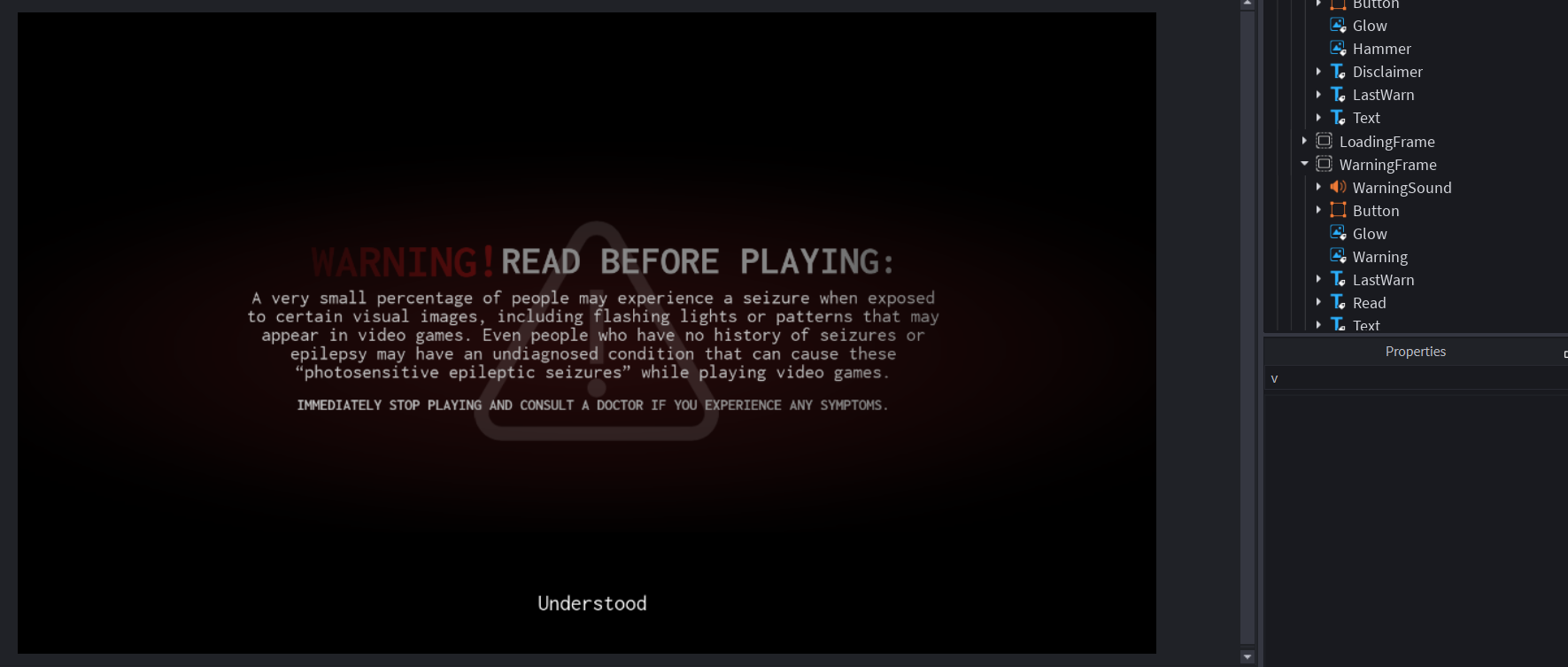
Hello! This my 1st Forum post so any apologies if I made an mistake with this Post.
I created this custom loading GUI for possible future projects, and I want to achieve a heads-up sequence before the actual loading screen. Basically, a fake loading frame plays for a couple of seconds, then the disclaimer frame appears. After a few seconds, a button frame will fade in, allowing the player to continue. When the button is pressed, it fades out, and the loading UI will still be visible the whole time but was just behind the disclaimer frame. Then, the warning frame appears and works the same way as the disclaimer frame. When the player presses the button on the warning frame, it brings them back to the loading frame, but this time it functions as an actual loading screen, loading models, meshes, other GUIs, parts, sounds, etc.
I don’t have a lot of Lua scripting knowledge, so that’s why I’m here to ask for help. AI hasn’t helped at all; they get it wrong, and the way I see their code, it just looks like a mess. So I want someone who actually is good with coding to help with this!
I’ve lined the screenshots up how I want them to go; you can also see on the Explorer side what’s in the UI, like frame, ImageLabel, etc.
If you want to completly hide the default Roblox join screen.
So basically you put everything in ReplicatedFirst so it gets loaded first after joining. Then you have a script parent all the frames to StarterGui and call ReplicatedFirst:RemoveDefaultLoadingScreen()
One possible solution is to use TweenService to create a fade effect. (The service make things smooth)
It would be kinda hard to tween every instances transparency so we put a black frame above the loading screens and only tween it’s transparency.
I have no idear what those 3 things are you put the loading screens in.
I might actually continue this post in the future but it’s getting pretty late. Nice design btw.
Hi there! Thanks for providing me with the links. I will take a look into them. If it’s okay to clarify what you mean by “I have no idear what those 3 things are you put the loading screens in.” because I don’t know what you meant by that.
Hey there @itzBlnky! Hope I am not too late to tag in! I wouldn’t mind making a quick template alongside a detailed explanation on how to achieve what you are looking for~!
Edit: currently 5:14AM still working on it, would you mind share a place file with your current UI, so I can easily integrate it for you while I am at it?
Good afternoon to you too! Even tho its 12am for me rn because my timezone is GMT+1 But I really appreciate that you have done this for one of my ideas!
This is to make the game load in the background as for technically no game ACTUALLY loads–loading frames are simulated basically :] hopes that helps clear things up for ya