When a player’s character loads by Player:LoadCharacter() the character sometimes has a camera in front view where it is pointed towards the character. I want to ensure the client always sees the back of the character like default. How can I do this?
It shouldn’t matter if you manually load the character or let it autoload. The behavior is determined only by the camera scripts. Roblox’s default “Classic” camera always positions behind the character, on spawn and all respawns. But some of the other legacy options like “Follow” camera, retain some state through a respawn, and may do what you describe. The only fix I know of is to manually position the camera on respawn, by explicitly setting its CFrame from Lua.
Camera mode is a user choice by default, set in the Roblox ESC menu. You can force players to use a specific camera type, but this is generally frowned upon, and it’s better to just reposition the camera from script on respawn if you want this behavior regardless of user’s camera preference.
I think it’s because the “Spawns” aren’t actually spawn locations. My code looks something like this:
player:LoadCharacter()
player.Character:PivotTo(spawnCFrame)
do you know how I could move the camera behind the player after pivoting their character?

This shouldn’t matter either, because the camera script (Classic camera) aligns to the HumanoidRootPart, not any particular world direction.
That doesn’t work. Settings your camera CFrame only works when the camera type is scriptable.
It does matter, because it’s not like when you move your camera follows your character. (Unless you’re on follow mode). It’s only set when your character loads.
do you want it to be offset or something?
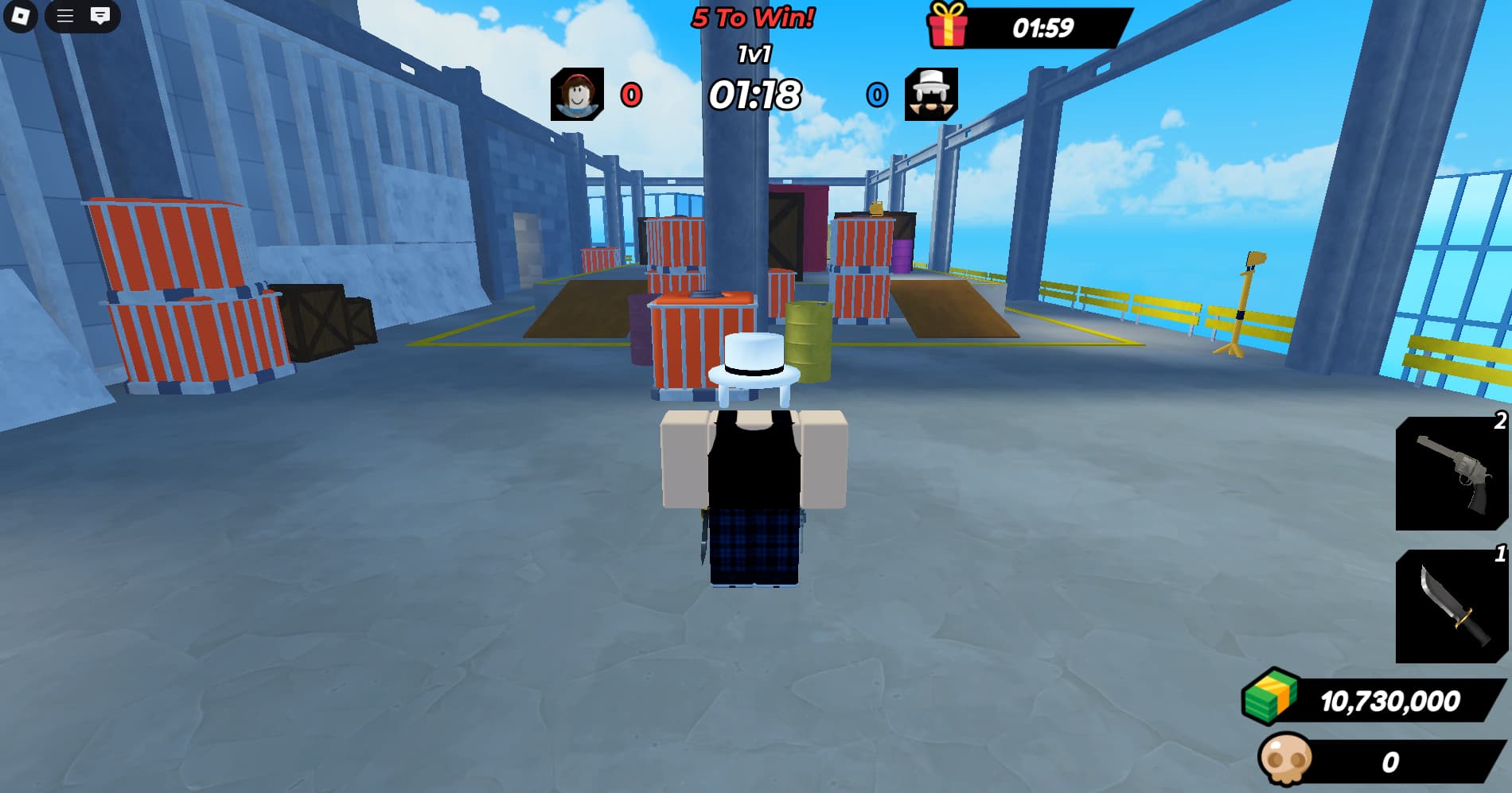

do you want it to be on an angle? im confused on what you want
No. Like I have said 3 times and showed in the screenshot, I want the camera to point towards the back of the character, aligned with where the character is looking. In spawn 2, it is facing backwards against the character’s view.
i literally just gave you the solution
What is the solution?
character limit
if im understanding correctly ur asking for the camera to face the same direction as the player
so my suggestion was setting the camera’s cframe to the humanoid root part’s cframe. since the camera is not scriptable it will not be frozen in place and instead will change the direction it is looking in. does that make any sense or am i being silly
I tried that already, it doesn’t work.
wdym it doesnt work? what did you try to do because it works for me
I am doing this code exactly, it just does nothing, the camera still faces the front of the character.
workspace.CurrentCamera.CFrame = Player.Character.HumanoidRootPart.CFrame
is this inside of a local script? it should be
Yes, it is inside of a local script.
im not sure why its not working. do you get an error? could i see your code snippet?