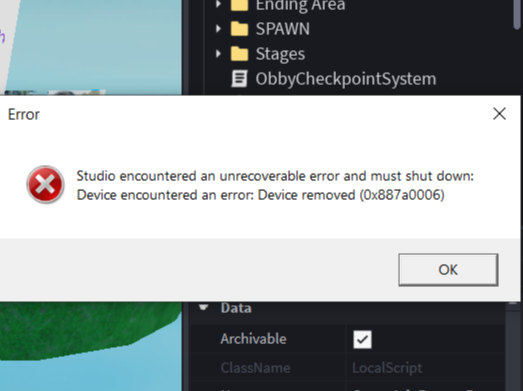
I was building a customized basketball arcade game from out of nowhere my Roblox studio automatically closed itself. During that I lost all of my progress 2 times in a row, I have no idea what happened to my Roblox studio. The same thing goes to Roblox Player.
If that happens again, i recommend you activate team create because with that your game saves automatically
Hey that happened to me last week as well. Although my case is slightly different as my whole screen froze after an hour of usage of Studio but it was because of outdated graphic drivers. Also, do you have sufficient RAM?
- Check the AutoSaves folder: On Windows, navigate to
C:\Users\Admin\AppData\Local\Roblox\RobloxStudio\AutoSavesin your File Explorer (replaceAdminwith your actual computer username). You may find a recovery file there. You should have autosaves enabled in settings (in case you don’t) and you can set the time interval too. - Clear the cache and temp files: .
- Update your system and drivers:
- Reinstall Roblox and Studio:
Hi! Yesterday, studio just closed on its own after 1 minute of launching it. I got a TDR error. Task Manager would be unresponsive as well and then my whole screen would freeze. It was because of incompatible AMD drivers. I have both Intel and AMD graphics so I disabled the AMD ones and rely on the Intel ones now. I went into safe mode and uninstalled the AMD driver and also did some regedit changes. Today, I used Studio for an hour and performance was surprisingly better! My Task Manager works perfectly as well. Also, this is the error I had gotten: