Today I noticed on the website, when looking at someone’s profile and changing their nickname, the scroll bar on the side will disappear.
Direct Links:
https://www.roblox.com/users/77436715/profile
http://www.roblox.com/User.aspx?ID= (this link can also be used to view your own profile without putting a userid)
Visual Aids:

Before Clicking

After Clicking
This issue occurs after selecting “Customize Name” in the dropdown menu.
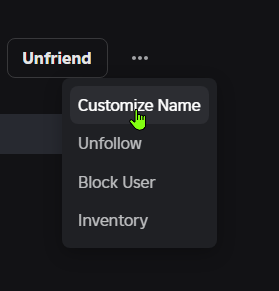
It doesn’t matter if the user chooses to change the nickname or cancels, the issue still occurs when clicking the button.
This doesn’t seem to happen when trying to follow/block a user.
System & Browser information attached privately
Expected behavior:
the page should bring back the scroll bar
A private message is associated with this bug report