When a FluidForceSensor’s EvaluateAsync method is called on a part which is not configured to do so (Anchored, Not in workspace, etc) Studio will break in numerous ways once you end the playtest. I have observed three main ways this manifests itself:
- New icons in explorer fail to render
- Script intellisense stops working
- Trying to start a new playtest causes studio to freeze, only being closable through task manager or macos force quit. Sometimes this doesn’t happen, but attempting to edit a script in that state then do a playtest usually triggers it.
All 3 of these corruptions persist until studio has been fully restarted.
Note that triggering this wont always take running EvaluateAsync one time, but it has a high likelihood of occurring if you call it multiple times.
Here is a screenshot of issue 1, the icons not appearing:
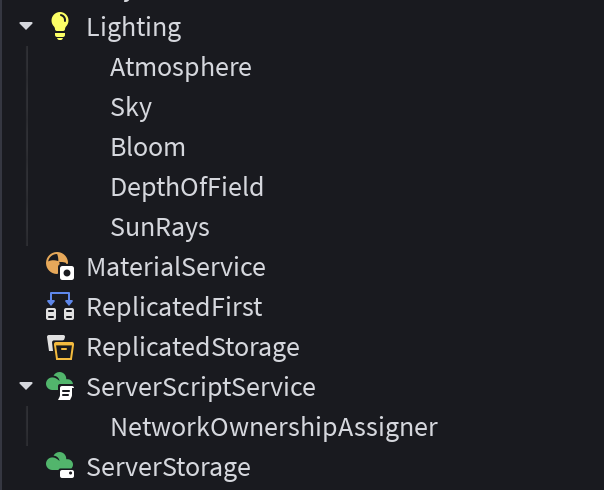
I have done extensive testing on Studio version 0.702.0.7020627 (arm64) using my MacBook Pro, But I have confirmed this issue affects my personal computer running Windows 11 as well.
I have produced a rbxl file that showcases the problem directly:
FluidForceSensorBugReport.rbxl (65.2 KB)
Expected behavior
The expected behavior would be an error appearing in the output and the internal code of FluidForceSensor gracefully handling the problem, as currently this does not happen.