Introduction

Hi, I’m yyumchi, and this is Stoway.
About a year ago, I needed an inventory system for a game idea but found the default Roblox tools lacking. I really liked Deepwoken’s hotbar and sectioned backpack, So I looked for an existing solution but came up short. Then I found a tutorial by HowToRoblox, basically copied the core code to get something working. However, as I added features, it became pretty clear to me that the UI updates were unreliable, the item tracking was wonky, and the hardcoded logic was so messy it was a nightmare to maintain.
Fast forward to December: I finally found time to rebuild it properly. I completely changed it to a headless server architecture alongside a modular client, ensuring total separation of concerns. It now features Fusion-powered UI with delta replication for performant updates, data-driven state management, and a robust context-aware input system (powered by IllusionIAS) to seamlessly handle cross-platform controls. It’s no longer just a tutorial copy and now it’s actually something I’m happy with.
Key Take Aways
- I recommended you use the backend and use the frontend as an example.
- This is fully free and Open Source
- This is a side project and isn’t something I’d recommend in a lot of roblox games
- This post isn’t a full tutorial but rather to showcase most of the features
- Some features maybe integrated but not fully implemented (dynamic slots)
- This bypasses the entire backpack logic so anything added to the backpack will not be recognized by the system
- This is a server first approach, but the client does operations immediately with checks so that there is no delay waiting for when the server finally does updates
- What differentiates this from other Inventory/Hotbar and Backpack Systems is:
1st the fact everything goes through the InventoryService. If we want tools to be added to the system when a tool is added to the players backpack from the server you’d have to do that outside of this service.
2nd the fact that the backpack doesn’t have any tools can prevent exploiters from seeing other player’s inventory
3rd you don’t even need my frontend client and the inventory system will still work as it is headless. - This is all on branch v2 and the release for v2 will be out shortly after this post with all the instances you would need.
- Lastly this is meant for use with a module loader
Links


Features
Hotbar
-
🖐️ Drag & Drop
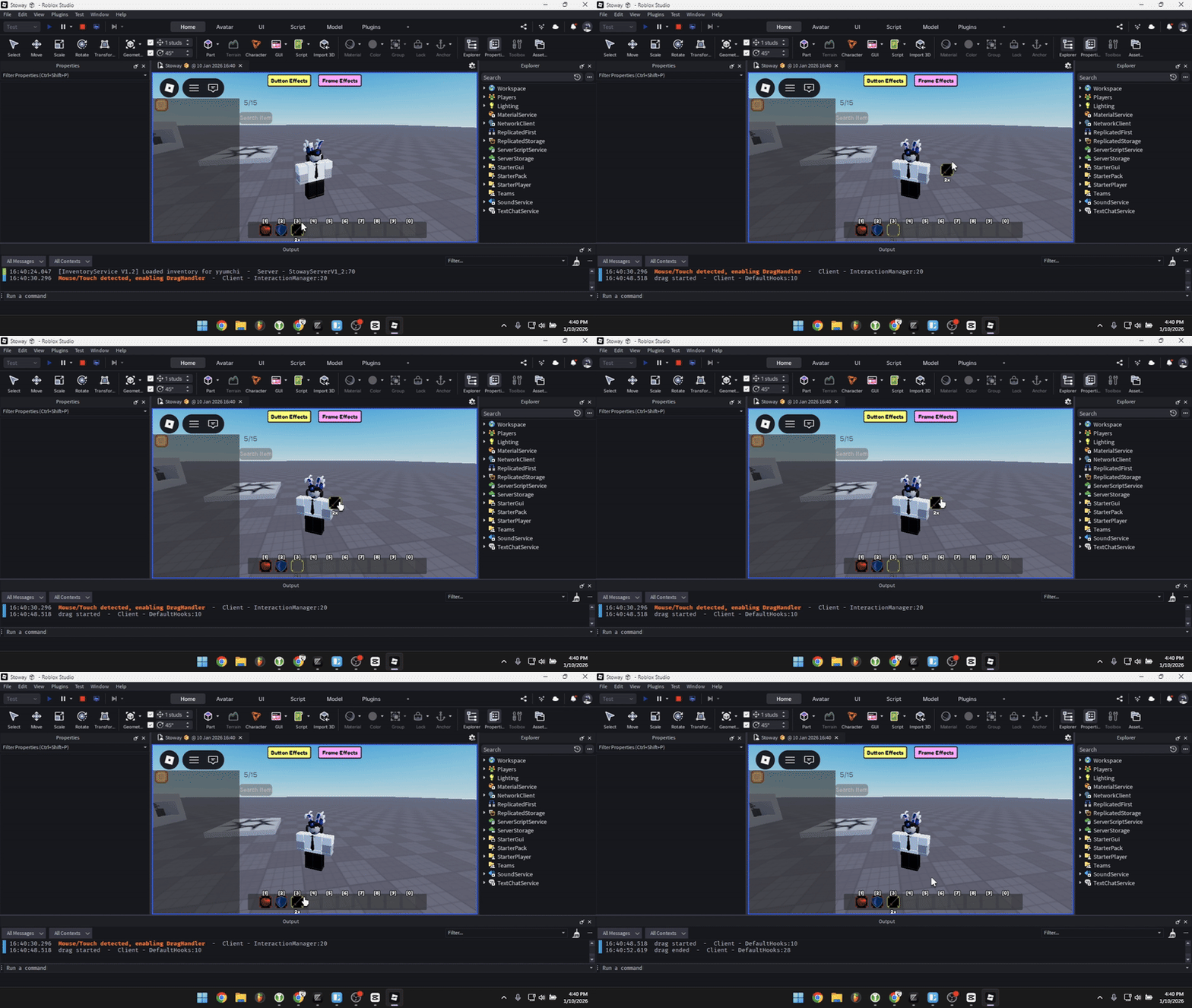
 Static Slots/Dynamic Slots.
-
⌨️ Keybinds
=
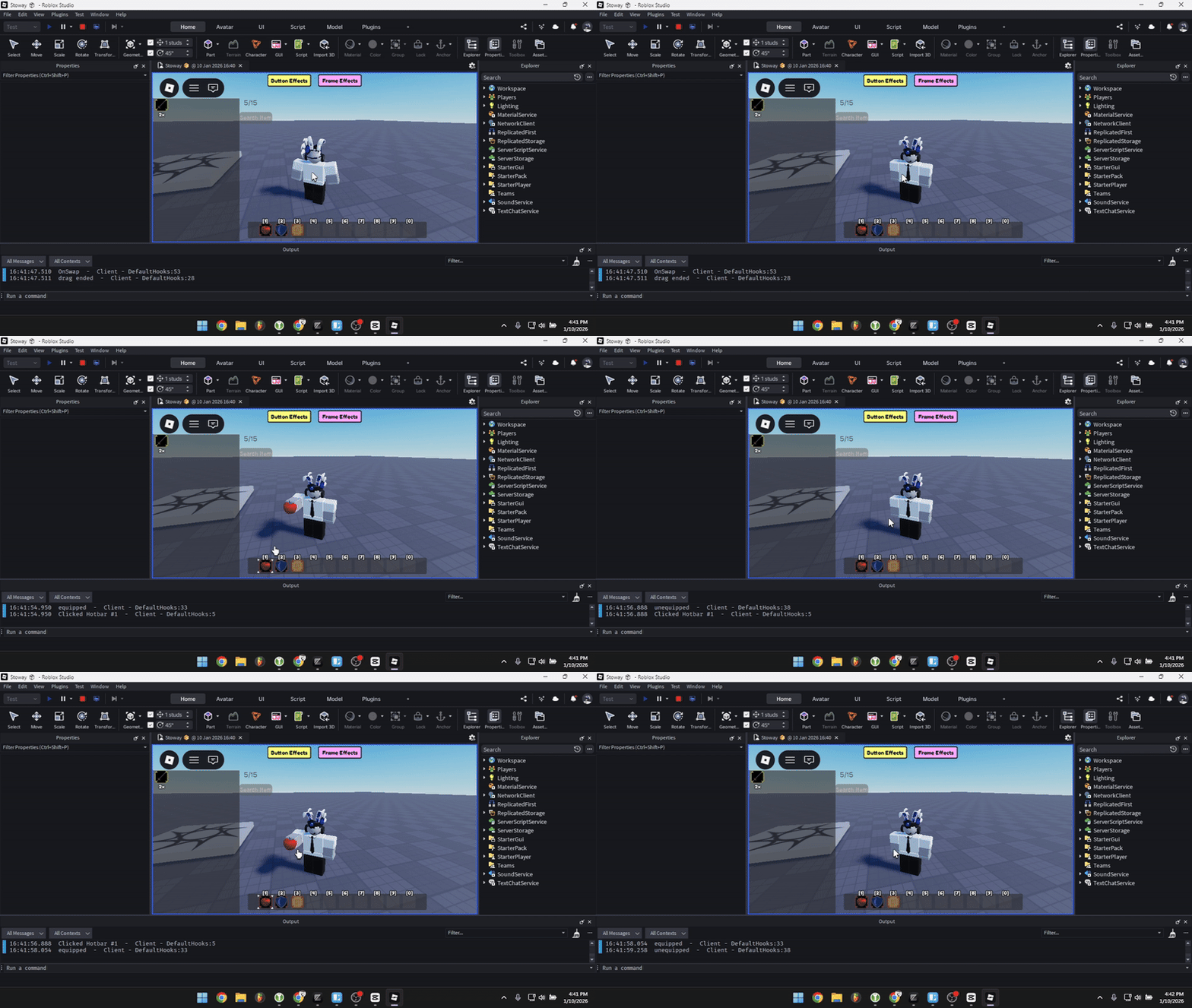
Backpack / Storage
- Data-Driven: Items are stored as pure data (UUIDs), not physical Instances.
-
📚 Stacking
 Weight System: Optional weight/capacity limits
-
🔍 Sorting & Filtering: Built-in support for sorting by Rarity, Name, or ItemType, plus real-time search filtering.
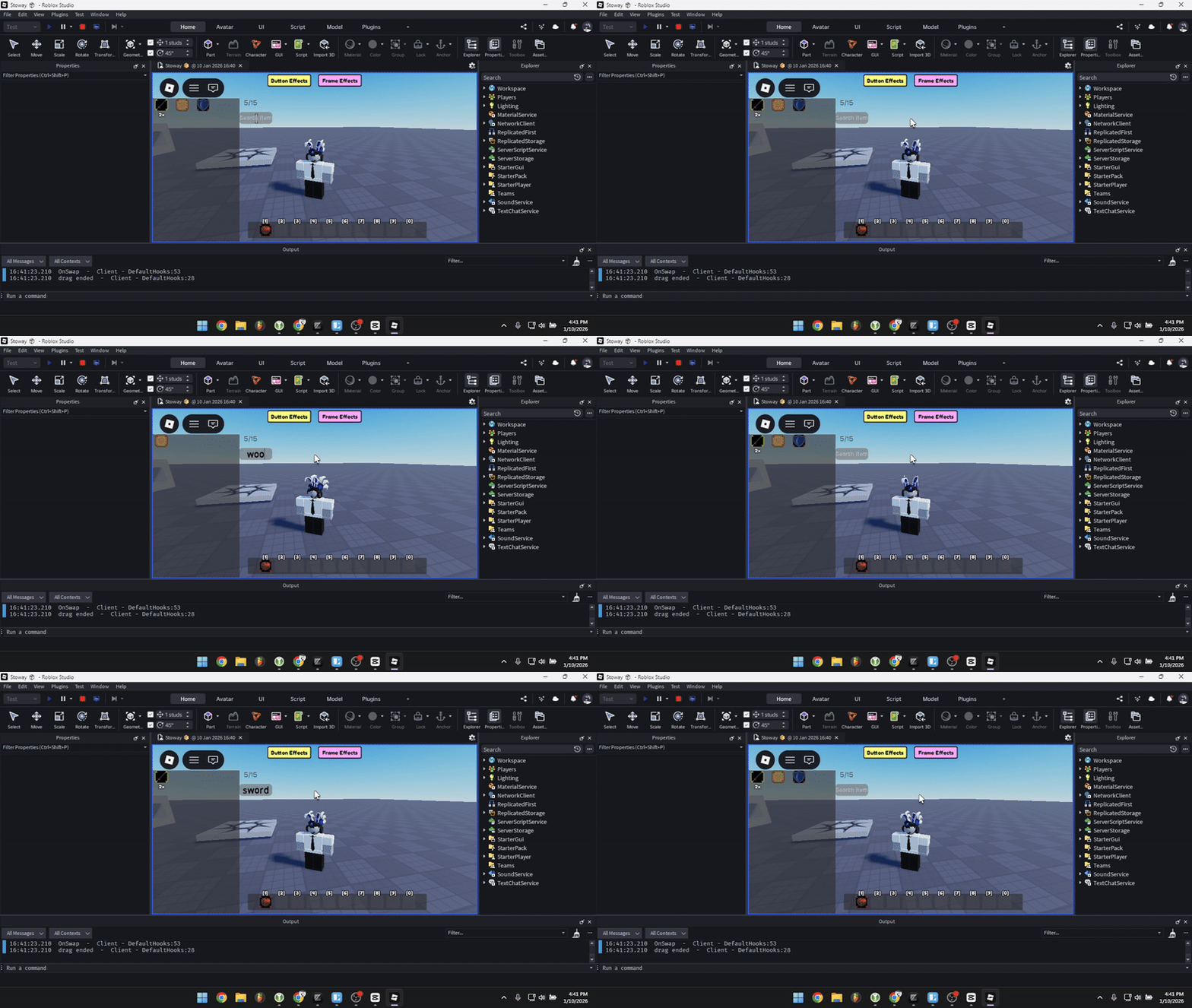
Advanced Systems
 Reactive UI (Fusion): Uses the Fusion library
 Delta Replication
-
🎨 UI Skins: Support for multiple UI layouts/skins
 Rarity Support: Integrated rarity system with color-coded borders and sorting priority.
-
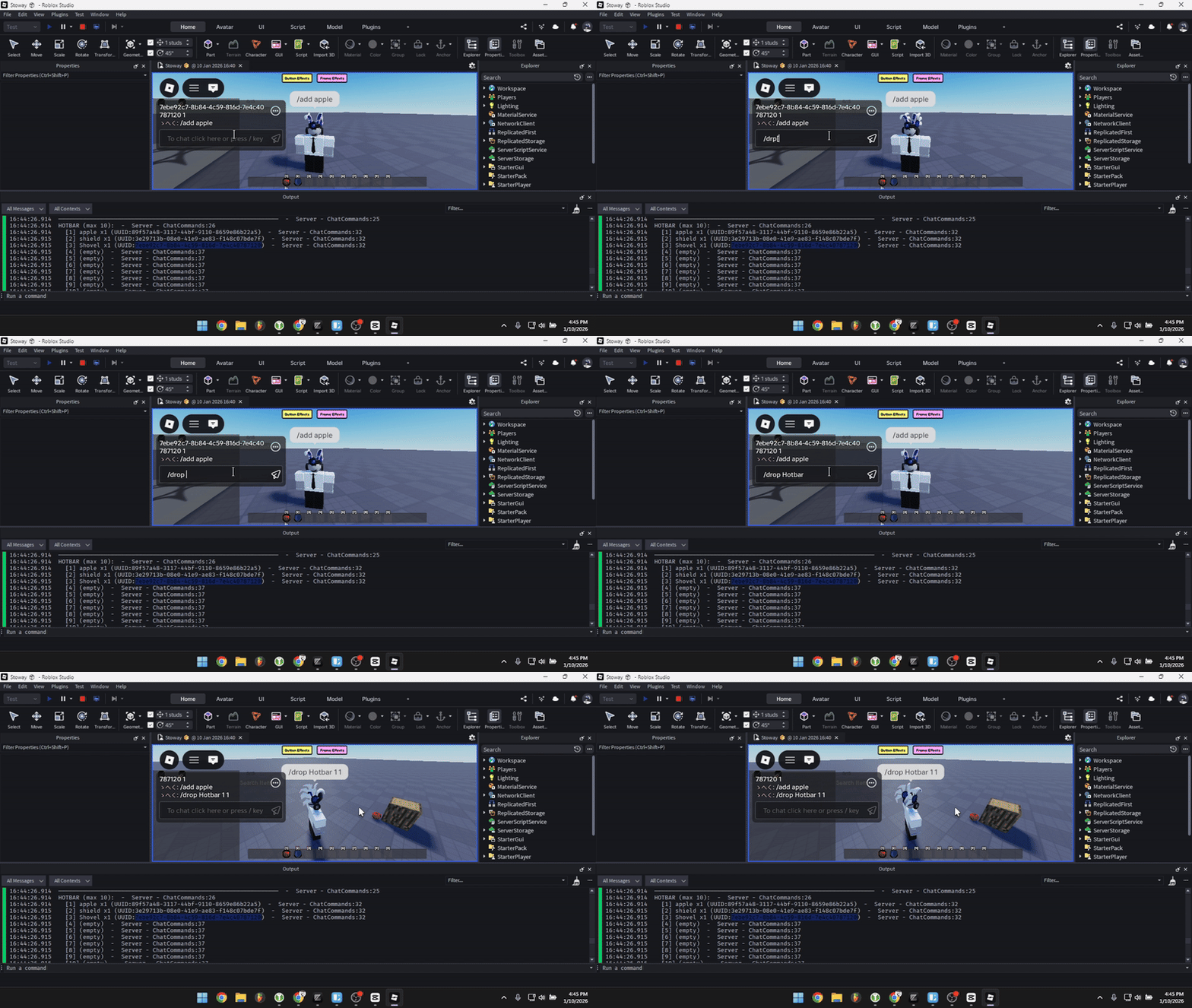
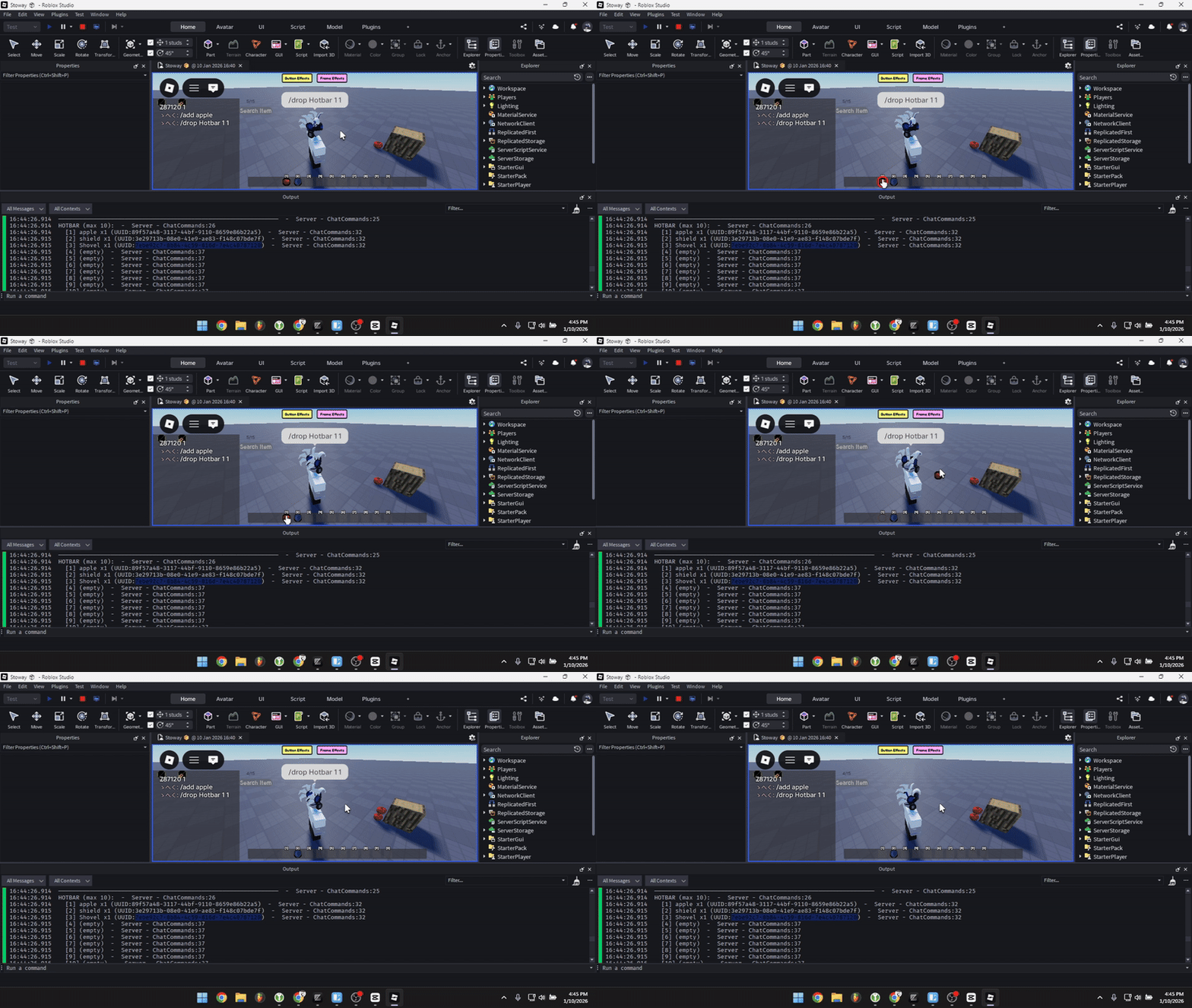
💧 Droppable Items
 Console Support
 Debug Commands
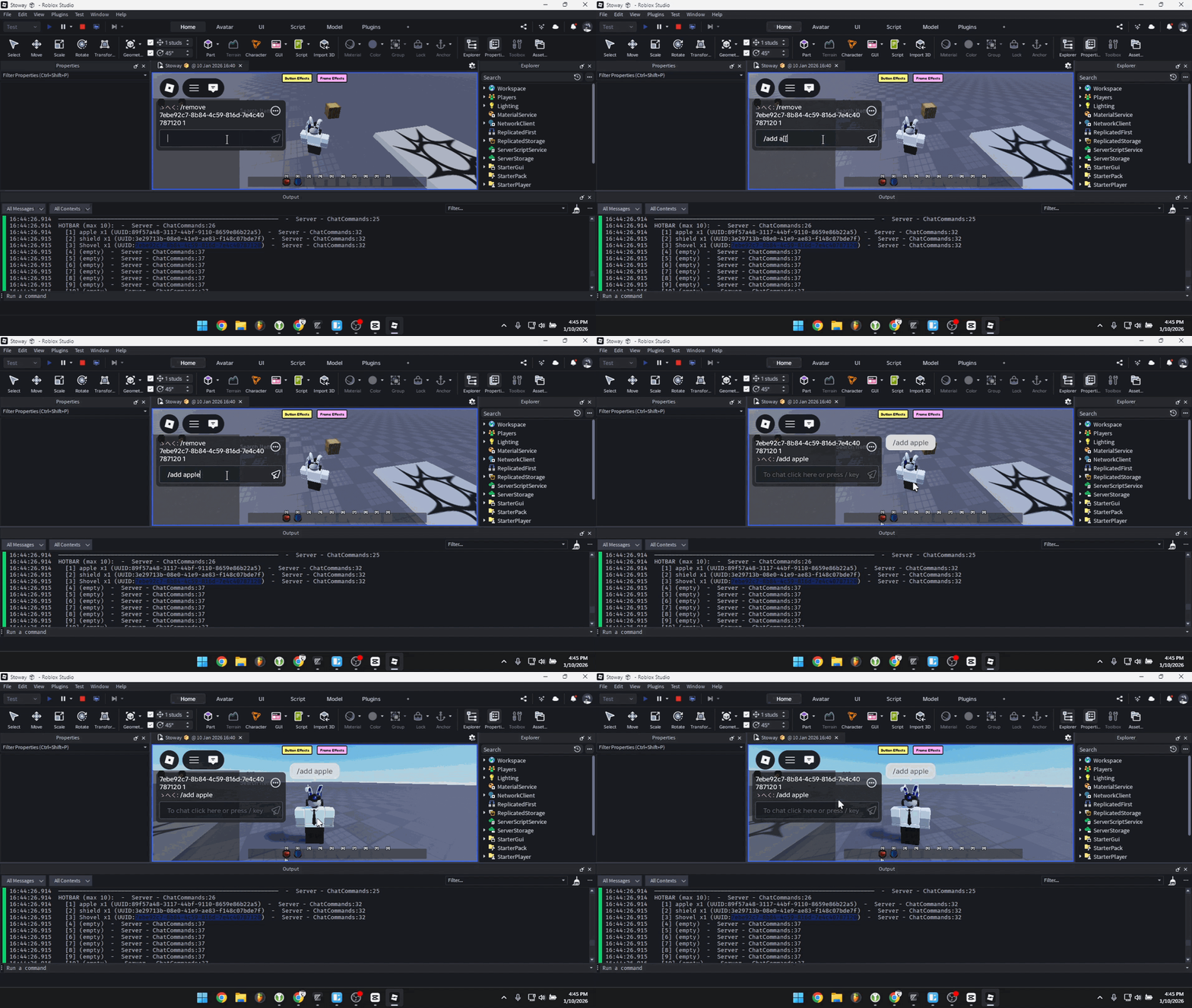
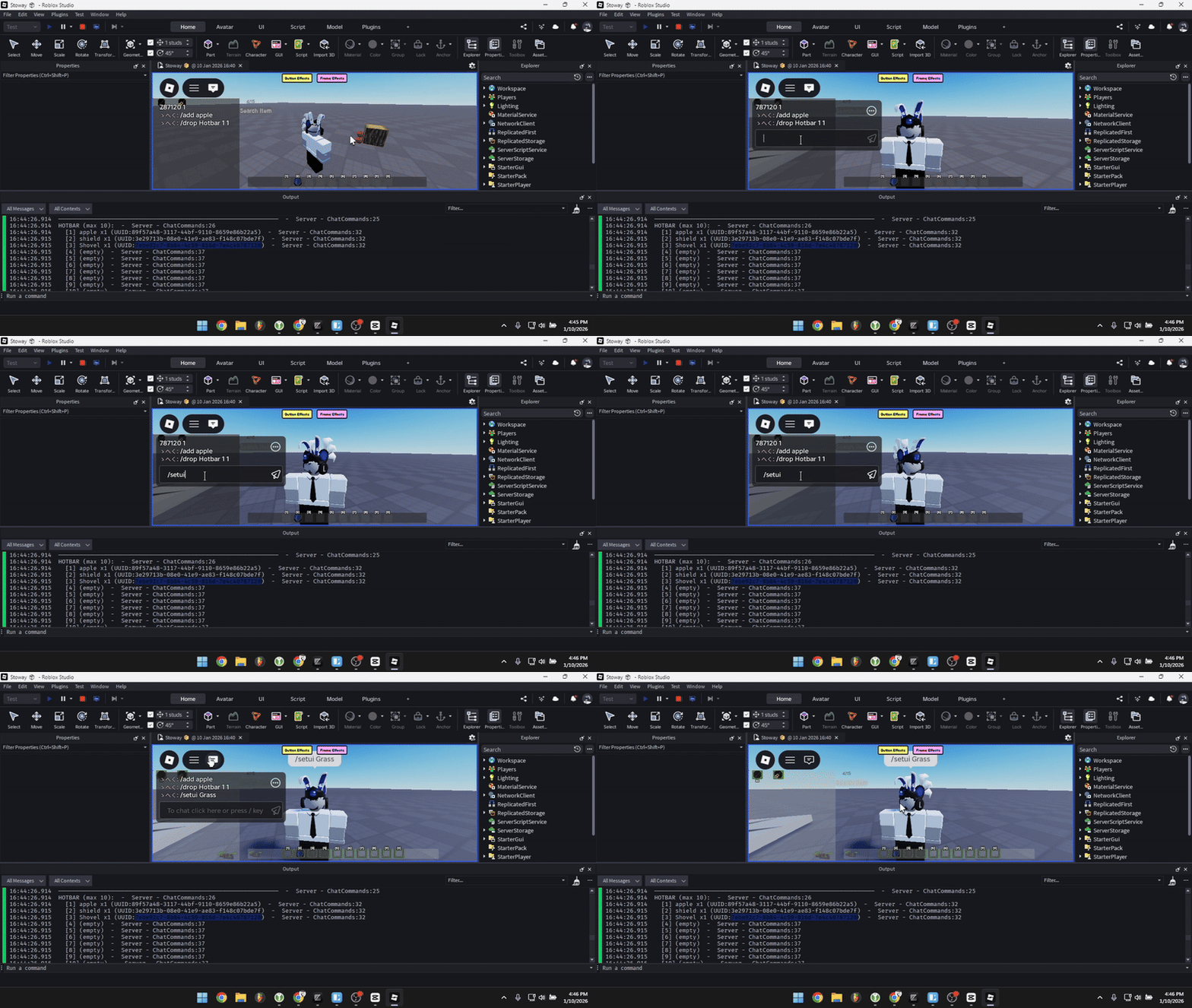
Stoway comes with built-in chat commands on the server for testing purposes.
/inv- Print current inventory state to console./add [itemId] [amount]- Add an item to your inventory./remove [uuid]- Remove an item by UUID./clear- Wipe your inventory./set_limit [n]- Change your weight limit at runtime./setui [UiType]- Switch your UI skin (e.g.,/setui Default).
Flow of code
Staring from a proximity prompt
- Server: Trigger & Logic
A server script calls InventoryService to add the item.
- InventoryService: Validates the item exists in ServerStorage and calls the operation logic.
- AddOperation:
- Checks limits (Empty inventory = OK).
- Checks stacking (No existing item = Skip).
- Placement Logic: Since the inventory is empty, it prioritizes the Hotbar. It finds Slot 1 is available.
- Generates a UUID and updates the server-side state.
- Replicator: Packages the new Item Data and its location (Hotbar Slot 1) and fires the remote to the client.
Network Boundary
The InventoryUpdate RemoteEvent fires with the Action “Add”.Client: Update & React
The client receives the packet and updates the local view.
- NetworkHandler: Receives the “Add” signal and routes it to the controller.
- InventoryController:
- Adds the item data to the local Items list.
- Updates the local Hotbar list to show the new UUID in Slot 1.
- InventoryStore (Fusion): The Hotbar Atom detects the change.
- UI (SlotFactory): Because the UI is bound to the Store, Hotbar Slot 1 automatically renders the new item icon.
Client-Side Flow: Dropping an Item (Console)
Here is the flow when a console user drops 1 Apple from a stack of 2.
- Input Trigger (SelectionManager)
The process starts when the user presses the Drop Bind (e.g., ‘X’) while highlighting a slot.
- Module: SelectionManager.luau
- Action: dropAction.Activated fires.
- Logic:
- HandleDrop() is called.
- Fetches item data (Stack of 2 Apples).
- Switches input context to InputManager.ContextDrop (disables navigation, enables Drop UI controls).
- Calls ConsoleDropUI.Show(item, 1) to display the slider.
- UI Interaction (ConsoleDropUI)
The user sees the drop slider, currently set to 1.
- Module: ConsoleDropUI.luau
- Action: User confirms the amount (presses ‘Drop’).
- Callback: Fires the OnDrop callback defined in SelectionManager.
- Client Logic (InventoryController)
The callback triggers the core inventory logic.
- Module: InventoryController.luau
- Function: Controller.Drop(slotType, slotIndex, amount: 1, REPLICATE: true)
- Optimistic Update:
- Since amount (1) < stack (2), it performs a Partial Drop.
- Updates local Items atom: Apple count becomes 1.
- Updates local Weight atom.
- Network: Sends Drop packet to server: { slotType, slot, amount: 1 }.
- Server Verification (DropOperation)
The server receives the request and validates it.
- Module: DropOperation.luau
- Function: Execute(state, player, slotType, slot, amount)
- Validation:
- Checks if player allows dropping (state.Settings.Droppable).
- Checks if item allows dropping (item.Metadata.Droppable).
- Validates amount (1 <= 2).
- Action:
- Remove Operation: Decrements the server-side item stack by 1.
- ItemSpawner: Spawns the physical “Apple” tool (Amount: 1) near the player.
Some Syntax
Server Core State
export type ItemInstance = {
	UUID: string,
	Id: string,
	Amount: number,
	Metadata: { [string]: any }?
}

export type PlayerSettings = {
	Limit: number,             -- Weight limit (0 = infinite)
	CanStack: boolean,         -- Allow stacking
	MaxStackSize: number,      -- Max items per stack
	MaxHotbarSlots: number,    -- Number of hotbar slots
	Droppable: boolean,        -- Allow dropping per player
	UiType: string, 		   -- Interface version to load (default, admin, mod, developer, content, spec, etc)
}

export type InventoryStateType = {
	Player: Player,
	Items: { [string]: ItemInstance },      -- UUID -> Item
	ItemsByID: { [string]: { string } },    -- ItemId -> Array of UUIDs (for stacking lookup)
	Hotbar: { [number]: string? },          -- Slot -> UUID (Static: nil holes allowed)
	Storage: { string },                     -- Array of UUIDs (Dynamic: packed, no holes)
	EquippedItemUUID: string?,              -- UUID of currently equipped item
	Weight: number,                          -- Total item count (sum of all stack amounts)
	Settings: PlayerSettings,               -- Per-player settings (modifiable!)
}
Server API
InventoryService.AddItem(player, itemId, amount, nil, true)
InventoryService.AddToBackpack(player, itemId, amount, nil, true)
InventoryService.StackTwoSlots(player, fromType, fromSlot, toType, toSlot) -- WIP because the system already does atuomatic stacking if the setting is turned on
InventoryService.RemoveItem(player, uuid, amount, true)
InventoryService.SwapSlots(player, fromType, fromSlot, toType, toSlot, true)
InventoryService.EquipSlot(player, slotType, slot, true)
InventoryService.UnequipSlot(player, true)
InventoryService.DropItem(player, slotType, slot, amount, true)
InventoryService.SyncSettings(player)
InventoryService.ReloadClient(player, { configSettingName = uiType, RefreshData = true }) -- true means to load in the current servers data to the client
Settings
-- Configuration for the Inventory System V1.2

local Settings = {}

--// Types
export type HotbarType = "Static" | "Dynamic"

--// Hotbar Settings
Settings.Hotbar = {
	Type = "Static" :: HotbarType, -- Static: fixed slots with holes, Dynamic: packed array
	MaxSlots = 10,
}

--// Storage/Backpack Settings (Always Dynamic)
Settings.Storage = {
	Limit = 15,             -- Total weight limit (Hotbar + Storage combined)
	CanStack = true,
	Sorting = true,
	MaxStackSize = 5,
	SortOrder = "None" -- Name, Rarity, ItemType, None
}

--// Stacking Rules
Settings.Stacking = {
	-- Fields that MUST match for items to stack
	RequiredFields = { "Rarity", "Type" },
	-- Rarities that can NEVER stack
	Blacklist = {
		["Legendary"] = true,
		["Mythic"] = true,
		["Special"] = true,
	},

	Rarity = true
}

--// Gameplay Settings
Settings.Gameplay = {
	Droppable = true,
	DropDistance = 10,
}

Settings.DifferentUIs = {
	Default = {
		FolderName = "StowayGui",
		GuiName = "Stoway",
		HookPresetName = "DefaultHooks"
	},

	Admin = {
		FolderName = "StowayAdmin",
		GuiName = "AdminGui",
		HookPresetName = "AdminHooks"
	}
}

return Settings
Credits
 HowToRoblox - Core mechanics inspiration.
- Knineteen19 - Persistence and stacking logic.
 Avafe - Fusion and React patterns on Roblox.
- Illusion - Module around roblox’s new InputActionService


