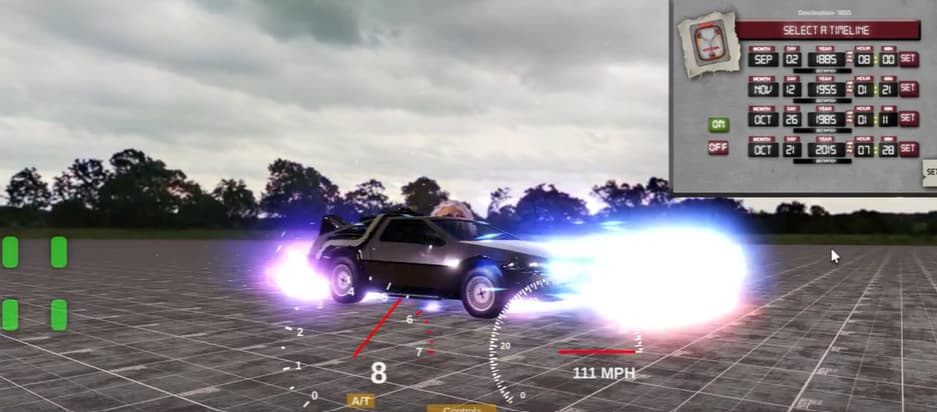
This image is a screenshot i took earlier this week.

This image is a screenshot i took today while writing the post. The only thing that is different is the car model.
It may seem like a little unsignificant change in the game, but in reality it really does impact visibility and accuracy.
(If anybody noticed the small change in the beams at the back of the car, please note that it is the only change i have done in the particles.)
I have “turned off” the LightInfluence setting by setting the value to 0, but nothing worked.
Lowering the LightEmission makes the “plasma” effect vanish.
Lowering the Brightness makes the colors way too dark and the Particles too transparent.
I have tried removing the Bloom from the lighting, and the Brightness is already low, and I have tried it with different Lightings, nothing worked.
Does anyone have decent advice on how to solve that issue ?
The rate of emittion is always dependant on the graphics level, if your graphics level is high then the particle will emit at a higher rate to make it look nicer, if the graphic level is low for performance then it will emit less frequently. If you are using the rate of emittion (I forgot the property name exactly but you should know what it is) then make that 0 and manually emit the particle with a while loop, for loop, or repeat until loop.
For summary: Graphic level overrides the amount of times a particle will emit, so make a script that manually emits it so it will be same on all graphic levels
If you were manually emitting the particle then the issue may be with Roblox.
i forgot to say that it occurs in studio as well with the same problem, editor quality to 21, full graphics or not
i know it’s an issue with roblox but i can’t get what