- Fast and efficient
- Easy to use
- Very flexible
- Supports BulkMoveTo and Transform movement methods
- Comes with raycast / blockcast / shapecast / spherecast options
- Supports custom raycast functions
- Supports custom stepping / stop and start
- Supports per projectile stepping
- Deferred callback system (Allows safe projectile edits and removal)
- Accurately detects multiple hits within a single frame
- No external dependencies
- Strictly typed
Setup
- Put the module in ReplicatedStorage
- Require it
Uncopylocked Place
Rocket Launcher Example
by @AnoB0t
Projectile
A projectile is just a raw table
- These properties are also properties of the projectile constructor
Each property is marked with
- “r” for direct read permission
- “w” for direct write permission
- “b” for built-in function to edit
State:
[rw] Position: Vector3
[r] PreviousPosition: Vector3
[rw] Velocity: Vector3
[rw] Acceleration: Vector3
[r] Elapsed: number
[r] DistanceTravelled: number
Settings:
[r] MaxFlyTime: number
[r] MaxFlyDistance: number
[r] MaxPiercesPerStep: number
[rw] RaycastParams: RaycastParams?
[rw] RaycastFunction: RaycastFunction
[rb] ProjectilePart: BasePart?
[rw] ProjectilePartRotation: CFrame? -- Rotation for the projectile part to be applied
Callbacks:
[rw] OnHit: (projectile: Projectile, result: RaycastResult, hasPierced: boolean) -> (),
[rw] OnStep: (projectile: Projectile, deltaTime: number) -> ()?,
[rw] OnPositionChange: (projectile: Projectile, newPosition: Vector3, oldPosition: Vector3) -> ()?,
[rw] OnDestroy: (projectile: Projectile, reason: string | "MaxTime" | "MaxDistance" | "Hit" | nil) -> ()?,
Transform Mode Callbacks:
--[[
	Due to the way Motor6D.Transform works we made a PostTransform
callback which is called right after .Transform is applied for the first time.
Otherwise the CFrame of the cosmetic part will appear as origin.
]]
[r] PostTransform: (projectile: Projectile) -> ()

--[[
	This is the 2nd PostTransform. Basically the second time .Transform is
applied. This is helpful to safely toggle vfx on or make parts visible to hide the
pre .Transform phase.
]]
[r] PostTransformSafe: (projectile: Projectile) -> ()
TIP: When using Transform movement mode devs are expected to turns off vfx
when creating them. Only enable it / trigger it on PostTransformSafe.
TIP: If the vfx is not emitted by the cosmetic part or anything welded to it users can trigger it like usual.
Optional data
[rw] BlockcastSize: Vector3?, -- Size for blockcast option
[rw] SpherecastRadius: number?, -- Size for blockcast option
[rw] ShapecastPart: BasePart?, -- Part for shapecast
[rw] UserData: any, -- Optional user data
ProjectileSettings
Projectile settings is a raw table with settings for projectiles
Construct:
SwiftCast.ProjectileSettings.new(parameterOverrideTable?)

Properties:
MaxFlyTime: number,
MaxFlyDistance: number,
MaxPiercesPerStep: number,
RaycastParams: RaycastParams?,
RaycastFunction: RaycastFunction,
CanPierce: boolean | (projectile: Projectile, result: RaycastResult) -> (boolean),

BlockcastSize: Vector3?,
SpherecastRadius: number?,
ShapecastPart: BasePart?,
TIP: Usage of projectile settings is completely optional. It is usually used to apply settings to a large amount of projectiles and avoid setting each parameter on projectile construction
RaycastFunctions
This is a sub table with premade raycast functions. There are currently 4 options you can choose from
SwiftCast.RaycastFunctions.Raycast
SwiftCast.RaycastFunctions.Blockcast
SwiftCast.RaycastFunctions.Spherecast
SwiftCast.RaycastFunctions.Shapecast
Config
-- Uses protected calls for event callbacks
Config.UseProtectedCalls: boolean

-- Starts the simulation on require
Config.StartOnRequire: boolean

-- Switches between BulkMoveTo and Transform movement methods
Config.MovementMethod: "BulkMoveTo" | "Transform"

-- The offset ray adds to the raycast position to search for the next hit
RaySearchOffset: number
Run Order
- Update projectiles
- Move projectiles
- Destroy marked projectiles
- User events
-- Creates a projectile and activates it
-- @return Projectile
SwiftCast.SpawnProjectile(constructorArgs: ProjectileConstructorArgs, projectileSettings: ProjectileSettings?)
-- Creates a projectile
-- @return Projectile
SwiftCast.CreateProjectile(constructorArgs: ProjectileConstructorArgs, projectileSettings: ProjectileSettings?)
-- Activates a projectile making it start simulating
SwiftCast.ActivateProjectile(projectile: Projectile)
-- Deactivates a projectile making it stop simulating
SwiftCast.DeactivateProjectile(projectile: Projectile)
-- Steps a projectile
SwiftCast.StepProjectile(projectile: Projectile, deltaTime: number)
-- Terminates a projectile firing OnDestroy callback
SwiftCast.TerminateProjectile(projectile: Projectile, reason: string?)
-- Checks if SwiftCast simulation is running
-- @return boolean
SwiftCast.IsRunning()
-- Starts SwiftCast simulation
SwiftCast.Start()
-- Stops SwiftCast simulation
SwiftCast.Stop()
-- Steps SwiftCast simulation
SwiftCast.Step(deltaTime: number)
-- Sets a projectile part for the projectile
SwiftCast.SetProjectilePart(projectile: Projectile, part: BasePart?)
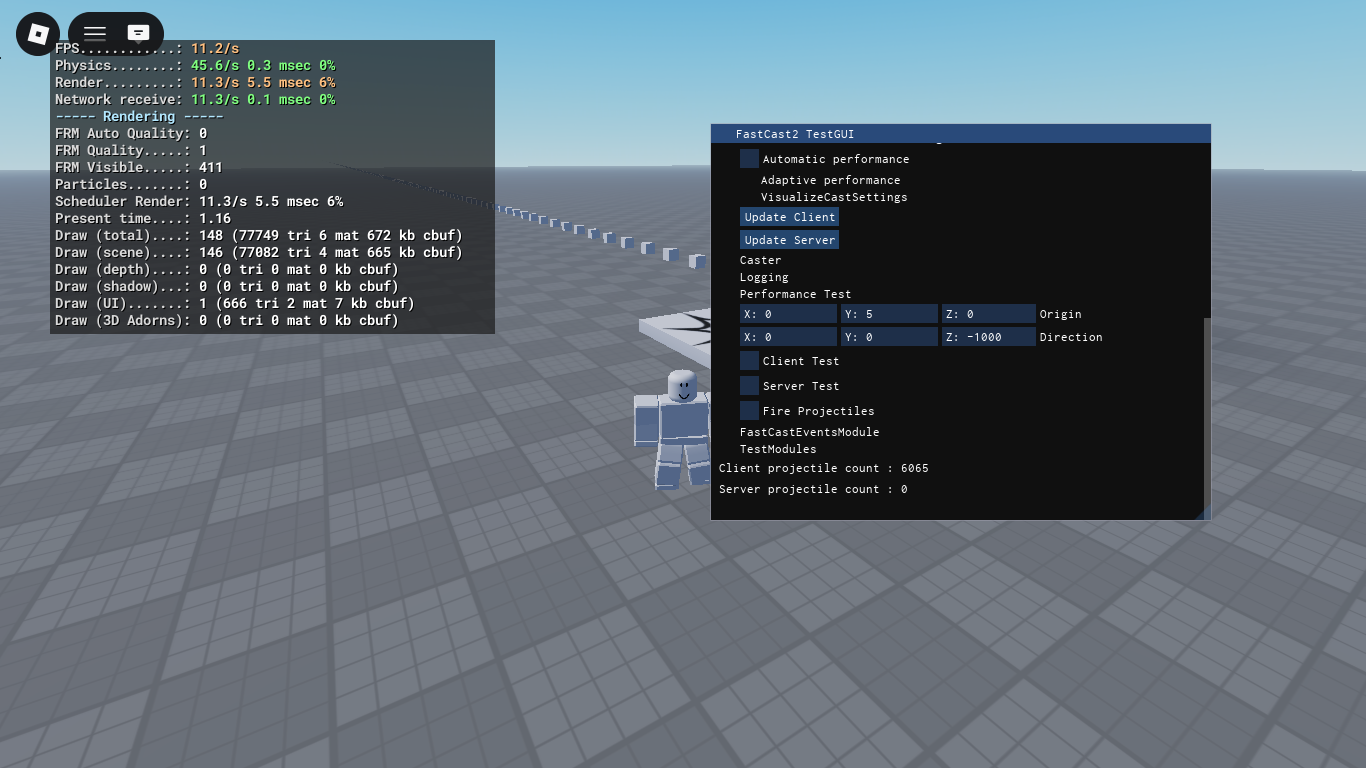
SwiftCast performs very well among its competitors. Swiftcast runs on a single thread with DoD flavor without any parallel scripting, this has few advantages and drawbacks. One of the most important advantage is being able to utilize WorldRoot:BulkMoveTo more efficiently. Its main drawback is calculating invisible projectiles where computation power (raycast cost) matters more than running in serial.
SwiftCast also does something that none of its competitors do, which is Motor6D.Transform based movement. This allows for extremely fast part movement even for thousands of displayed projectiles.
SwiftCast outperforms all big projectile libraries in instanced mode. Instanced mode is where each projectile has a BasePart associated with it. The BasePart is synced to projectile position every frame making a cosmetic visual for the projectile.
| Diqualified Libraries | Reason | Exception |
|---|---|---|
| FlashCast | Ratelimits | - |
| SimpleCast | Ratelimits | Unlocked ratelimiting manually |
Below are benchmarks done on my machine (i5-13400f CPU, RTX4060Ti, 16GB DDR5)
Live Client Benchmark:
| Library | Projectiles | Average FPS |
|---|---|---|
| SwiftCast Transform | 2000 | 237 |
| SwiftCast BulkMoveTo | 2000 | 194 |
| SimpleCast | 2000 | 149 |
| FastCast2 8 Actors | 2000 | 109 |
| Library | Projectiles | Average FPS |
|---|---|---|
| SwiftCast Transform | 4000 | 154 |
| SwiftCast BulkMoveTo | 4000 | 94 |
| SimpleCast | 4000 | 73 |
| FastCast2 8 Actors | 4000 | 36 |
| Library | Projectiles | Average FPS |
|---|---|---|
| SwiftCast Transform | 8000 | 78 |
| SwiftCast BulkMoveTo | 8000 | 44 |
| SimpleCast | 8000 | 34 |
| Library | Projectiles | Average FPS |
|---|---|---|
| SwiftCast Transform | 10000 | 61 |
| SwiftCast BulkMoveTo | 10000 | 37 |
| SimpleCast | 10000 | 27 |
Here we can see a notable performance difference among each library. Also this took notorious amounts of efforts to benchmark due to other libraries having weird quirks that makes it hard to get a fair reading. With that out of the way here’s a summary:
Fastest to slowest
- SwiftCast Transform
- SwiftCast BulkMoveTo
- SimpleCast
- FastCast2
For instanceless mode (invisible projectiles) FastCast2 outperforms all other libraries including SwiftCast on server with race being head to head till 15k projectiles.
On the other hand SwiftCast outperforms all other libraries on client.
1.0
- Initial release
1.1
- Fixed: NaN error on .Unit calculation
- Added: OnPositionChange
- Cleaned up unused variables
- OnStep only uses projectile and deltaTime as arguments now
1.2
- Fixed: PostTransformSafe not firing when PostTransform is not defined
- Replaced OnRayPierce with OnHit. Now fires regardless of destruction status
- Removed: OnRayPierce
- Added: MaxPiercesPerStep
- A lot of minor fixes
1.3
- RaycastParams are now optional
- Fixed event ordering
- Fixed OnPositionChange and OnStep not firing for projectiles destroyed on OnHit
- MaxFlyDistance is now math.huge by default
- Fixed default ProjectilePartRotation argument
1.4
- Added: Fixed delta time and more accurate stepping formula to preserve accuracy across different frame rates
- Destroyed now fires after OnPositionChange
- Added: Motor6D pooling for faster projectile creation in transform mode
Special Thanks To:
@haotian2006 for helping out with Transform mode
@Z0nito and @Thawux for demonstration vfx
DISCLAIMERS
- Currently SwiftCast runs on a single core. Parallel support is planned in the future.
- Use Github Download for the latest release. Roblox might deny / delay some updates