Description
This thing, it’s not working anymore.

Re-production Steps
- Open the Tag Editor
- Create a Tag
- Below go to “Settings”
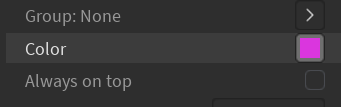
- Go to Color
- Click on the Color Picker field and try to click and hold the mouse button and move it around
Expected Result
Clicking on the Color Picker field moves colors
Actual Result
It stopped working. As a workaround it has to be edited through the Attributes in ServerStorage.