
Thumbnail image by: imamdevv
Bring the power of professional UI tools directly into Roblox Studio.
UIForge is a precision-focused UI workflow plugin inspired by tools like Figma — built to make selection, alignment, transformation, and layout organization fast and predictable.
 Get UIForge

 Plugin Trailer/Overview
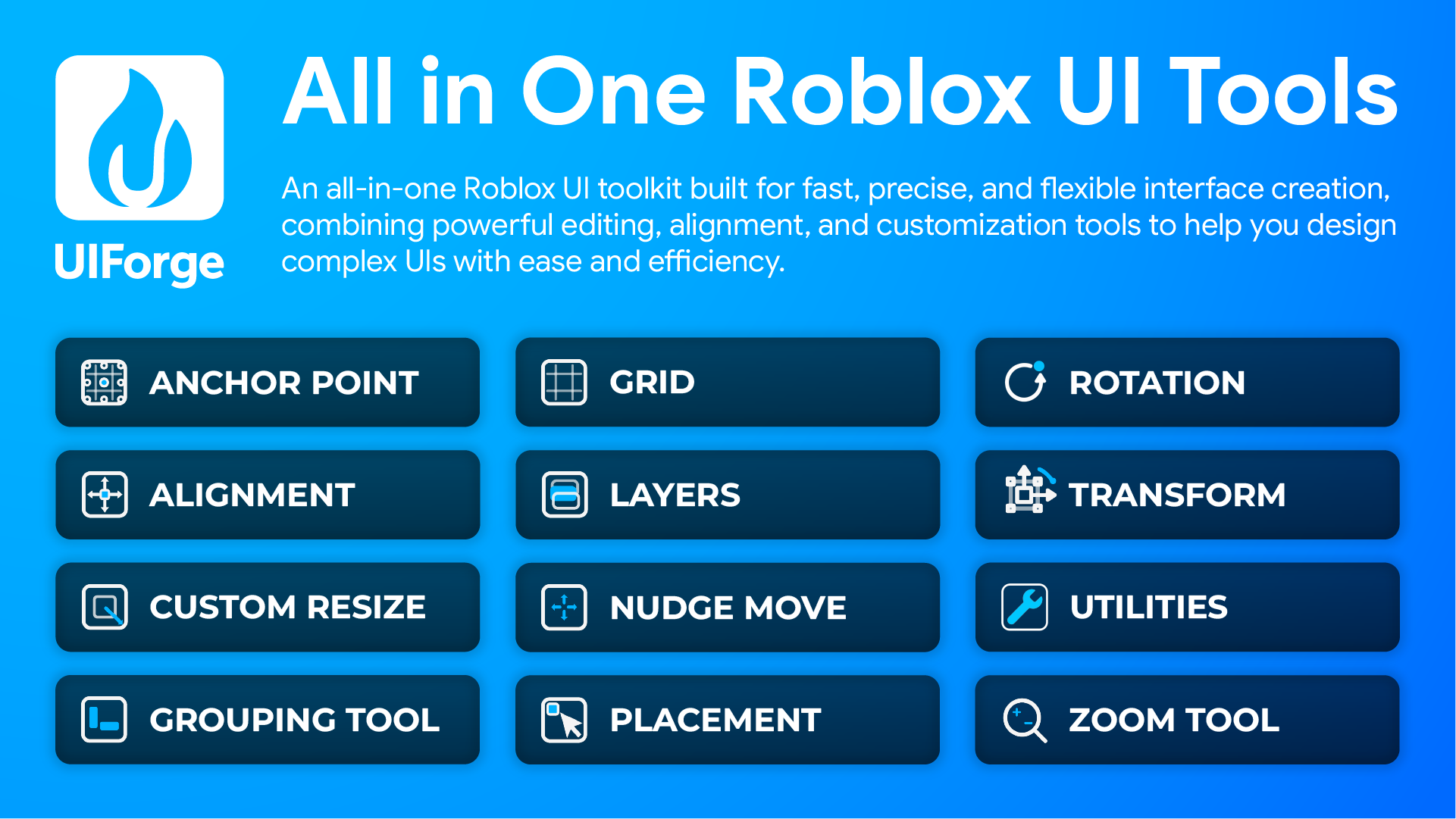
[Trailer video Soon..]
UIForge helps you:
- Select the right UI element instantly (even when overlapped)
- Transform with precision (Scale/Offset conversions that respect UIScale/padding)
- Align/distribute like a pro (key object + numpad shortcuts)
- Edit anchor points visually
- Organize complex UI with named ZIndex layers
- Reparent without breaking your layout (preserve position)
Features
Expand each to view video preview
🖱️ Smart Selection & Navigation
Stop fighting groups, transparent frames, and overlap.
- Hover Selection show selection hover before clicking on uis
- Drag Selection
'Shift' + LMB + Dragfor selection box - Deep Selection for nested elements
- Layer Isolation to prevent accidental background clicks
- Scroll Selection → Selection Cycling
Shift + S→ Mouse Scroll Wheel cycles through overlapped elements under cursor - Smart Visibility: ignores fully transparent containers that usually block clicks
📏 Grid Tool
- Visual Grid Overlay: Display a customizable grid overlay on your canvas for precise alignment and spacing.
- Toggle Visibility: Press
Lto show/hide the grid instantly.
- Toggle Visibility: Press
- Snap to Grid: Enable magnetic snapping to grid intersections for perfect alignment.
- Smart Snapping: Objects snap to nearest grid point when moving or resizing.
- Configurable Threshold: Adjust snap sensitivity (how close to snap).
- Toggle On/Off: Enable/disable snapping independently of grid visibility.
- Customizable Grid:
- Grid Size X/Y: Set independent horizontal and vertical grid spacing (1-100px).
- Grid Color: Choose any color for grid lines to match your preference.
- Grid Opacity: Adjust transparency (0-100%) for subtle or prominent guides.
- Use Cases:
- Consistent Spacing: Maintain uniform gaps between UI elements (e.g., 8px or 16px design systems).
- Alignment Guides: Use grid as visual reference for aligning multiple objects.
- Responsive Layouts: Create proportional layouts based on grid units.
- Design Systems: Enforce spacing standards across your UI components.
📐 Precision Transformation
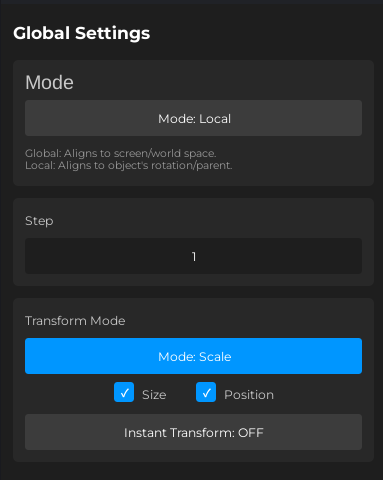
Transform Mode Swapper (Scale ↔ Offset)
Quickly toggle between proportional (Scale) and pixel-perfect (Offset) values for Position and Size.
- Converts selected objects while switching
- Smart conversion accounts for parent padding and
UIScale - Access from Quick Actions widget
Step Setting
Control the “grid step” used for snapping, nudges, and precision moves.
↔️ Custom Resize Tool
- Hold
Shiftfor aspect ratio lock - Hold
Ctrlfor mirror (center-based) resize - Respects
UIScale
🔄 Rotation Tool
- Figma-style rotation handle (“lollipop”)
- Hold
Ctrlto snap (default 15°; configurable) - Multi-select rotation support
- Pivot modes: Center / Anchor / Custom
➡️ Nudge Move Tool
- Pixel-by-pixel precision movement
- Hold for continuous smooth nudge
Ctrl + Arrow keyto move ui- Diagonal nudging supported
- Adjustable nudge speed
🎯 Advanced Alignment
Key Object Alignment (K)
Select an element → press K → align all other selected elements relative to it.
Numpad Quick Align
Ctrl + Numpad for instant alignment:
Distribution
Evenly distribute elements horizontally/vertically.
⚓ Anchor Point Editor
Hold Alt to activate anchor editor then:
- Click anywhere on an object to set the anchor point
- Use
numpad1–9`` presets while holdingAltfor instant setting
🔍 Zoom & Pan Canvas
- Zoom:
Ctrl ++/-orCtrl` + Scroll - Pan:
CTRL + RMB + Drag(orCtrl + Arrowswhen nothing selected) - Reset:
Ctrl+Space
📦 Smart Grouping
Select multiple elements → Shift + G → wraps them in a perfectly sized Frame container.
- Smart sizing based on children
- Respects current transform mode
- Multiple grouping/framing modes (BoundingBox / FullScale)
📚 Layers System
Create named layers that map to ZIndex values:
- Create / rename / delete layer definitions
- Isolate editing to a layer (avoid misclicks)
- Visibility modes:
- Fade non-active layers
- Hide completely
- Auto-discover layers from existing ZIndex values
- Layer names persist across sessions (stored in
ServerStorage)
WIP Tool
🔄 Preserve Position on Parent Change
When reparenting UI elements, UIForge can automatically preserve visual position/size.
- Converts Position/Size to maintain absolute positioning
- Accounts for
UIPadding,ScreenGuiinsets, and zoom canvas - Toggleable in settings
🎨 Themes, Grid, and Visual Customization
Built-in themes:
- Figma
- Blender
- Dark
- Default
Extras:
- Grid toggle:
L - Custom selection overlay, handles, rotation visuals, label styling
- Handle size control
And many more!
 Shortcuts (Power User Sheet)
| Action | Shortcut |
|---|---|
| Toggle Grid | L |
| Toggle Resize/Rotate Tool | R |
| Anchor Editor | Hold Alt |
| Key Object | K |
| Smart Group | Shift + G |
| Scroll Selection | Shift + S |
| Zoom In/Out | Ctrl + +/- |
| Pan Canvas | CTRL + RMB + Drag |
| Quick Align | Ctrl + Numpad |
| Reset Zoom | Ctrl + Space |
| Nudge Move | ‘Ctrl’ + Arrow Keys |
| Cancel active operation | Right Click |
 Quick Start
- Install UIForge from the Creator Store.
- Open it from the Plugins tab.
- Select a
GuiObjectto begin editing. - Enjoy the tools available to you
 Troubleshooting / Notes
- If you can’t switch to Offset while zoomed: reset zoom (
Ctrl + Space) first. - If objects “shift” during conversions: UIForge is preserving visual appearance while recalculating based on padding/UIScale.
- If something feels off, share a clip + your hierarchy setup in replies.
 Roadmap/Plans
- Lite version of plugin (Free)
- Polish and more features for Layers tool
- Aspect Ratio tool
- UICorner editor
- Drop Shadows
- Outline/Stroke tool
- Presets (Save ui instances and load them in instant)
- Text Editing Tools
- Image Tools
- List/Grid Layout Tools
 Feedback / Bug Reports
If you find a bug or have suggestions, reply here (clips appreciated).
I actively use feedback to improve UIForge.
Thanks for checking out UIForge!


