Title. I have a GUI element with the word ‘Vacuum’ in it. Problem is, even without RichText enabled, the game turns it into ‘Vacūm’ automatically
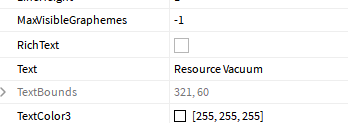
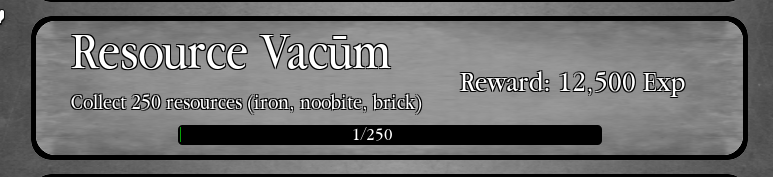
For context, toggling RichText doesn’t do anything.
Title. I have a GUI element with the word ‘Vacuum’ in it. Problem is, even without RichText enabled, the game turns it into ‘Vacūm’ automatically
For context, toggling RichText doesn’t do anything.
Odd, is this only visible when the game is tested? If so, do you have auto-localization on that may be translating the word to something more appropriate for where the player is? You could see if that’s a factor by using Player Emulator with their Locale set to English, their region set to US, etc.
Yes, this is only visible with the game running. I checked the player emulation settings and Enable Test Profile was disabled. I turned it on and set it to en-us, which made no difference.
Found another instance.
This is supposed to say “Lucky Drop III”, but the first two i’s get turned into… that.
Probably the font. For the most part, I only use Gotham and I dont have any issues.
Well I’ll be. It’s the font. I’m using Garamond. None of the other random fonts I picked did that.
Any idea how to use Garamond and NOT have it do that? I don’t want to change that and have it look different.
