Hello, I’m trying to rig a model right now.
I set up my bones via Motor6D’s and I now want to add little parts that follow one of the motor6D so I did it via weldConstraint
Without those weldconstraints, that motor6D is able to move freely, but some reason when I add the weldconstraints I cant move it anymore.
So like when I move that big red body (where those red spikes are supposed to be attached via welconsraints) the antenna and fin fly up
Like its supposed to let me move that big body around and it did before the weldconstraints
Does anyone know?
this is my first time rigging so I appreciate any help
Try setting Part0 to Body_01 instead, assuming it’s the big red part. Part0 is the reference and Part1 is the target; you want to attach the spikes to the main body, but the main body to the spikes.
You’re on the right instinct, but the important correction is this:
For WeldConstraint, Part0 vs Part1 does not change the physics outcome. They are symmetric. There is no “reference” part like with Motor6D.
So switching Part0 = Body_01 and Part1 = spike will not fix this by itself.
That misconception is super common because Motor6D does care about Part0/Part1, but WeldConstraint does not.
That is exactly what is the issue. Part0 is the reference, Part1 is the target; hence Motor6D minds about it, because it is being held by them, not holding them.
Also can we not use AI for this conversation? This is genuinely stupid and you sound really inconvenient right now. If you could at least make well use of it, sure; but this is not the case. Your reply is wrong.
Roblox’s animator is slop bro this is so annoying they dont allow dup names and theyre so picky about welds
does moon animator solve these issues? why doesnt roblox use the part’s uniqueId? this is so stupuid
also its genuinely impossible to manyally weld anything why arent there tools that let u select like 35 objects at once foe welding built into roblox
This is not an issue on the animator, but the way physics work itself; moon animator won’t “fix” this. As I said, the root, big red part, is being held by the spikes instead of holding them; it therefore cannot be moved because they’re holding it in place. Although there’s no difference visually, there is on how the physics work.
WeldConstraint isn’t the only instance with Part0 and Part1 properties where Part0 acts as the reference and Part1 as the target, affected part. Just keep this in mind and you won’t have issues anymore.
A suggestion though: use plugins to weld things instead of manually welding them such as this one. There are simple plugins that act the following way: the first selected part is the root, main part; and the rest are the targets, the ones being welded to the root. It’s way simpler this way.
If this reply satisfies your post, mark it as a solution, please, so the post can be marked as finished.
for i,v in pairs(game:GetService("Selection"):Get()[1]:GetChildren()) do if string.find(v.Name, "cone") then local weld = Instance.new("WeldConstraint") weld.Parent = v weld.Part0 = v weld.Part1 = v.Parent.slug.Body_01 end end
I just wrote this command bar script and for some reason this one worked but the last one didnt. Idk whats going on tbh but this version works
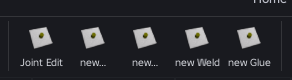
also that plugin sorta sucks bro what is this slop. Theres no design at all just code. Like they literally don’t care about the users just solving their own problem and they happen to post it for others
Bro only 2 objects?
No, it’s unlimited, not only 2; it’s just a description. And it indeed doesn’t need any sophisticated design since it’s just for simple purpose; also it’s old, but still usable in recent projects because nothing has changed, not really.
tbh im just kinda frustrated in general thanks for the help


