To add context to this topic, I’m making a “campaign” system (levels) like this
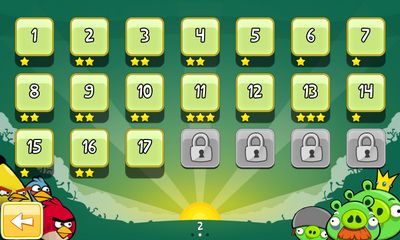
I believe my code has one small mistake that prevents it from saving a level.
What I expect to happen:
-# Selected Level is set to levelData[“NextLevel”]
-# Current Level is set to levelData[“NextLevel”]
-# map.Name is inserted to data.OwnedLevels
What REALLY happens:
-# Selected Level is set to levelData[“NextLevel”], yet it does not save.
-# Current Level is set to levelData[“NextLevel”], yet it does not save.
-# map.Name is NOT inserted to data.OwnedLevels
ServerStorage.Bricks.Bindables.LevelData.Event:Connect(function(win, map, findLevelData, data)
	local levelData = require(findLevelData)
	if levelData.ItemAwardType == "Money" then
	elseif levelData.ItemAwardType == "SubtleItem" then
		if not table.find(data["SubtleItems"], levelData[levelData.ItemAward]) then
			table.insert(data["SubtleItems"], levelData[levelData.ItemAward])
		end
	else
		if not table.find(data["OwnedPackets"], levelData[levelData.ItemAward]) then
			table.insert(data["OwnedPackets"], levelData[levelData.ItemAward])
		else
		end
	end

	if not table.find(data.OwnedLevels, map.Name) then
		table.insert(data.OwnedLevels, map.Name)
		if levelData["ChangeAmount"] then
			data["AmountPackets"] = levelData["ChangeAmount"]
		end
	end

	if levelData["NextLevel"] then
		print("NextLevel:", levelData["NextLevel"])
		print("Before: CurrentLevel:", data["CurrentLevel"], "SelectedLevel:", data["SelectedLevel"])
		data["CurrentLevel"] = levelData["NextLevel"]
		data["SelectedLevel"] = levelData["NextLevel"]
		print("After: CurrentLevel:", data["CurrentLevel"], "SelectedLevel:", data["SelectedLevel"])
	end
end)
^ the code that sets their respective levels
local module = {
	["ItemAwardType"] = "Tower",  -- Tower, Money, Item
	["ItemAward"] = "Betty Bloxxer",
	["Betty Bloxxer"] = {
		["Name"] = "Betty Bloxxer",
		["Price"] = 100,
		["Image"] = "rbxassetid://2748039495"
	},
	["ChangeAmount"] = 2,
	["TIXAmount"] = 25,
	["TIXProduce"] = 10,
	["NextLevel"] = "Baseplate 0-2"
}

return module
^ level data module
local function SaveData(player)
	local playerData = data[player.UserId]
	if playerData then
		local success = false
		local result = nil
		local attempt = 1

		repeat
			success, result = pcall(function()
				return database:UpdateAsync(player.UserId, function(old)
					return playerData
				end)
			end)

			attempt += 1
			if not success then
				warn("SaveData error:", result)
				task.wait(1)
			end

		until success or attempt > 3

		if success then
			print("Selected: " .. (playerData.SelectedLevel or "nil"))
			print("Current: " .. (playerData.CurrentLevel or "nil"))
			for _, level in playerData.OwnedLevels do
				print("Level: " .. tostring(level))
			end
		else
			warn("Failed to save data for", player.Name)
		end
	else
		warn("No data to save for userId", player.UserId)
	end
end
^ saving data
local function LoadData(player)
	local success = false
	local playerData = nil
	local attempt = 1

	repeat
		success, playerData = pcall(function()
			return database:GetAsync(player.UserId)
		end)

		attempt += 1
		if not success then
			warn("LoadData error:", playerData)
			task.wait(1)
		end

	until success or attempt > 3

	if success then
		if not playerData then
			playerData = {
				["SelectedLevel"] = "Baseplate 0-1",
				["CurrentLevel"] = "Baseplate 0-1",
				["OwnedLevels"] = {},
				["PlayerAmount"] = 1,

				["TIX"] = 0,
				["BUX"] = 0,

				["AmountPackets"] = 1,
				["OwnedPackets"] = {
					["Deffy Bloxxer"] = {
						["Name"] = "Deffy Bloxxer",
						["Price"] = 100,
						["Image"] = "rbxassetid://2748040041"
					},
				},

				["AccessoriesWorn"] = {},
				["AccessoriesOwned"] = {},

				["Settings"] = {
					["WorseAnimations"] = false,
				},

				["SubtleItems"] = {},
				["ItemsBought"] = {},
				["RedeemedCodes"] = {},
			}
		end

		local function CheckTower(name, price, image)
			local tower = playerData.OwnedPackets[name]
			if tower then
				tower.Name = name
				tower.Price = price
				tower.Image = image
			else
				warn(name .. " not found") -- Changed from tower.Name to name
			end
		end

		data[player.UserId] = playerData
	else
		player:Kick("DataStore loading failed after retries. Please rejoin.")
	end
end
^ load data

^ setting their respective levels’ output

^ save data’s output