BlockLua | Roblox Visual Scripting like Scratch!

Custom Blocks and Block Editor revamp!

New Custom Blocks UI:

When sharing a block:


New Block Editor UI:

It now highlights the parts of the code which will get replaced by the BlockLua translator.


Also, fixed the bug where hovering over a custom block didn’t show its documentation.

2 Likes

2 new blocks!

  • has badge - checks if the given player has a badge

  • increase leaderstats - makes it more convenient to increase the value of a leaderstats value. (no more need to get the value, and add X number to it)

2 Likes

New CFrame blocks + glide block!

Hey!
I have added new blocks to create cframe values and a glide block which works kinda like in Scratch. You can specify what you want to move, where you want to move it and under how many seconds.
It can move any Part/Model/Character instance.

Here are the new blocks:

This could help you create moving platforms, guiding missiles, turrets, doors, and much more! Essentially it lets you animate CFrames.

I hope you like the new blocks! Cheers!

2 Likes

Is the plugin totally finished ?

1 Like

I would say it’s mostly finished. It’s missing the online block sharing feature (basically a website), but other than that I think it is. But there is always new stuff to add!

4 Likes

Mostly visual bug fixes + little ui update

Hello!
I have fixed two visual glitches:

  • The screen would be blurred while play testing if you didn’t close the UI

  • “No BlockLua script selected” text being stuck after creating a script / picking an instance

Minor UI improvement:

  • Added a settings icon to make it more obvious that you have to click/drag down the top bar.

Topbar default:

Topbar dragged down:

I hope you like these little changes, I’m working hard to make BlockLua better than ever!

3 Likes

All-new saving engine [WIP]

Hello!
I am working on possibly the biggest rework of the BlockLua engine.
It is a transition to a JSON based saving system instead of the current “cloning” system.

Why is it better?

  • Incredibly fast saving times. I am talking a LOT faster. Not even noticable even for large scripts. Just a few miliseconds.
  • Autosaving after every block movement.
  • SCRIPT SHARING! You can just copy the JSON data of your script and share it with anyone. This will be a built-in feature in the future.
  • Better game loading times. Thanks to JSON, all the script information can be stored in a single module script for each script. So, there won’t be a copy every single block in your game in server storage, slowing down your loading times.
  • Proper undo/redo actions thanks to autosaving and JSON. See showcase here:
    Screen Recording 2025-05-21 at 10.13.20 PM
    Apart from little visual glitches, it works pretty well! Of course, this is still heavily in a development phase.

Is this going to break old scripts?

No. Not at all.
I am making sure all old scripts will get properly converted into the new format without pressing even a single button. The moment you open an old script, the plugin will detect it and convert the script into JSON format, so when you open it next time, it will have all the benefits of the new format.

When???

Soon. I still have to make sure that everything works flawlessly. This is a HUGE change and that means there is a huge risk. I will do a lot of testing, this update has to be really stable. I can not provide an exact time, but hopefully the update will be ready by the end of May.


Thank you for reading. If you have any ideas or you like the plugin, make sure to leave a reply! Let’s make BlockLua better for everyone.

Cheers!

3 Likes

Is there plans to change the current keybind system over to IAS at some point?

2 Likes

As I’ve seen it, IAS is still is Beta. When it arrives it’s highly likely that Blocklua will get new blocks to support it. I don’t really change existing blocks, I wanna avoid breaking old scripts.

3 Likes

Compact UI mode in the making!

Along with the completely rewritten saving/loading engine, there is a new UI mode coming to BlockLua! It’s a more compact version of the UI, allowing you to see more of your scripts.

Here is a showcase:

It’s SO useful for devices with smaller screens such as laptops. This feature will come along with the new engine.

Expect the update sometime next week!

6 Likes

Huge update to BlockLua!

I would like to announce the release of a really big update.
This update includes…

  • New blocks
  • New features
  • Design changes
  • … and a completely revamped engine

Please take a few minutes to read what new stuff the plugin has to offer! I promise, it’s cool.
Let’s dive into it.


The new engine

Before this update, BlockLua saved your scripts by cloning all of your coding area into server storage, and loaded it by cloning it back into the UI.
That worked fine… for a while. But, there are multiple problems with this. Most importantly: Cloning is slow AND breaks undo/redo (aka. unstable)

To make things clear: Your old scripts will be converted to the new format upon opening them for the first time with the new version of the plugin. This is not reversible. I tested it out many times with all kinds of old scripts, I haven’t experienced any issues. If you are unsure about this, create a backup of your game. If you experience ANY bugs, please report to me ASAP. Thank you.

So, I transitioned BlockLua’s engine to use a whole new format:


The actual script:

Now, BlockLua creates a module script for every top-most block in your script. All the connected blocks will be stored in a JSON format as a string, in these module scripts.

Why is this so great?

  1. Reduces the number of objects in your game by a LOT, leading to faster loading times for your game. Just looking at the screenshot, you can see that all these blocks are being stored in a single module script instead of being stored in your server storage all the time.
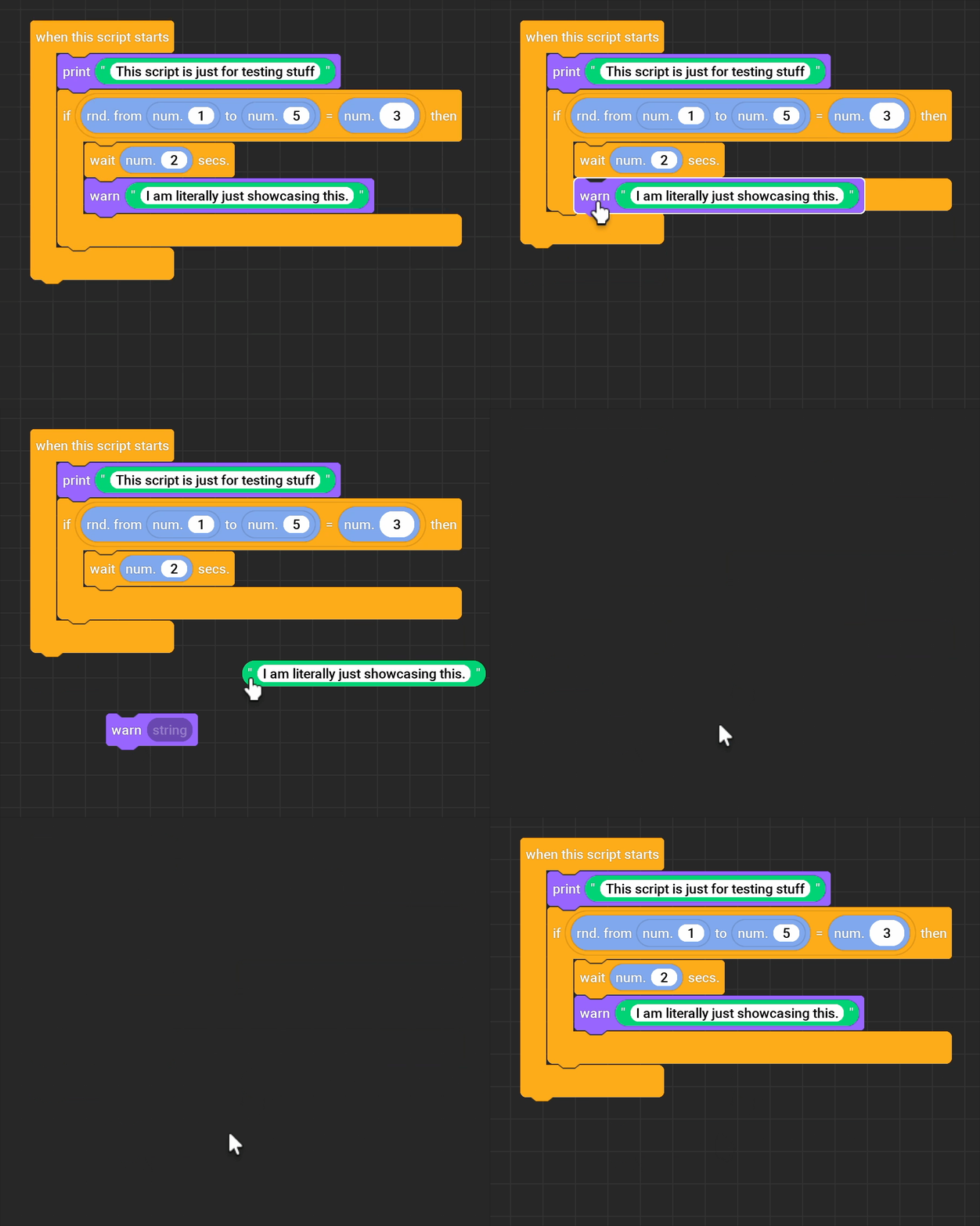
  2. Allows for proper undo/redo. You can now CTRL-Z just like you would with a normal script. Showcase (the flickering is just a visual glitch, I might find a workaround later):
    Screen Recording 2025-05-27 at 8.36.11 PM
  3. FAST saving. Saving takes milliseconds now. So, autosave is BACK! Now, after every block movement, your script will automatically save itself (using the Save button is still advised, but you should be just fine without it)
  4. Script sharing (for the future). This is NOT a feature yet. But you will be able to get the JSON for your script, and share it with others, or just save it on your computer as a backup file.

The new blocks

All the new blocks are documented in the plugin.

Design changes

Most the noticeable design change is the settings and custom blocks menu:


The buttons have been redesigned along with a darker background.

Capsule shaped blocks now have “shadows” to make them easier to see when they are stacked:


Minor change, quite neat.

Some animations are now going to be faster.

Quick documentation and Quick search got a thinner border now:

Compact mode introduced!

Just as showcased in this video (recording was made before the UI changes)


:shopping_cart: Get BlockLua from the Creator Store!

4 Likes

This thread is quite long (351 messages!), so I apologize if you’ve answered this already. I also don’t have the plugin, so I also apologize if this already exists :sweat_smile:

Are you considering adding features from Snap!? For instance, Snap! has first-class blocks (through a type of block called a Ring) and a very powerful custom block editor.

2 Likes

Hello!
I do not know what you “Ring” block is. Could you elaborate on that?

BlockLua already has a pretty good custom block editor, where you can make basically anything (within the limits of the BlockLua engine, of course)

2 Likes

I recommend you check out Snap!.

image

These are the Ring blocks. They store unevaluated blocks, to be evaluated later or passed to another block that takes a block as input.

When I say Snap! has a powerful custom block editor, I mean that when compared to Scratch’s custom blocks, Snap! is closer to Rust’s macros.

Edit: Snap actually has their own explanation of Rings.

Snap! is Scratch on steroids.

4 Likes

These look very cool! I think this probably won’t be a feature for now tho. It would require a major overhaul to the plugin. But thank you for the suggestion, it is much appreciated!

3 Likes

Sine tween block added

I just added a new block to simplify tweening a little.
Since most of the times, you use tweening to smoothly change a property, i have added a block which uses a sine tween to do that. Until now, you had to use a tween and a tween info block, which took a lot of space and time to set up.

So now, you can just do this:

Instead of:

I guess the difference is quite obvious

Hope this will help out some people.
Cheers!

6 Likes

New categories layout - WIP

I am working on a more Scratch-like categories layout. I also added icons to each category so they are easier to distinguish. I figured vertical space is more important for the inventory, so I made the categories list vertical instead of the current two-column layout.

Any feedback?

3 Likes

Working on the Variable picker!

Tired of typing, copy-pasting your variable names?
No worries, with the next update, BlockLua will get a variable picker!
You can just click to insert your variable name. Works kinda like in Scratch.

Little sneak peak:
Screen Recording 2025-06-08 at 4.45.39 PM
As you can see, it can detect the existing variables in your script and list them.
The variables are listen in ABC order, you can start typing to search for a variable. If there are no results, the popup will hide itself.

When you click on a variable name, it will list EVERY variable in your script.

However, when you start typing…


It will only list the variables which are related to your “search”.

(idk why the colors are so washed out…)

Also, the popup will shrink itself when you move your mouse outside of it.
Very useful little feature when the popup it gets in the way.
Screen Recording 2025-06-08 at 4.55.30 PM


This is all WIP. It will get released in the next update!

3 Likes

New update - Variable picker + new categories layout! (and bug fixes)

Hello everyone!
This update brings a whole new layout and a new feature to BlockLua, along with some bug fixes.

The big changes

Bug fixes

  • Plugin breaking after duplicating blocks - FIXED
  • Camera moving for a few frames after releasing the mouse button - FIXED
  • And probably a few more I forgot about…

Get BlockLua today!

:shopping_cart: Get BlockLua from the Creator Store


:shopping_cart: Get BlockLua from the Creator Store


3 Likes

Better stability + new “Drop to remove” UI


Hey everyone,
With this update, BlockLua became more stable and received a small but noticeable UI change!

Let’s get into it.

UI changes

A new “Drop to Remove” UI. More responsive and smooth.
A new popup message saying “Removed” after you have successfully removed a block.
Showcase (only 24fps due to upload size limitations):
Screen Recording 2025-06-15 at 7.41.23 PM

Bug fixes

  • Not being able to snap blocks in certain situations - FIXED
  • Snapping animation stopped working after duplicating a block - FIXED

Get BlockLua today!

:shopping_cart: Get BlockLua from the Creator Store


:shopping_cart: Get BlockLua from the Creator Store


3 Likes