As of today my Asset Manager has crashed on attempting to open it (yesterday the asset manager opened perfectly fine)
I have tried restarting studio, updating studio and coming back later but it is still broken,
this happens consistently each time I try to open it.
Upon it crashing it refuses to attempt to open again unless I restart studio
This bug is present in any game I open in studio
System info:
CPU - 13th Gen Intel(R) Core™ i3-13100
GPU - NVIDIA GeForce RTX 3060
Memory - 32GB (DDR5)
Footage of this occuring:
Output message:
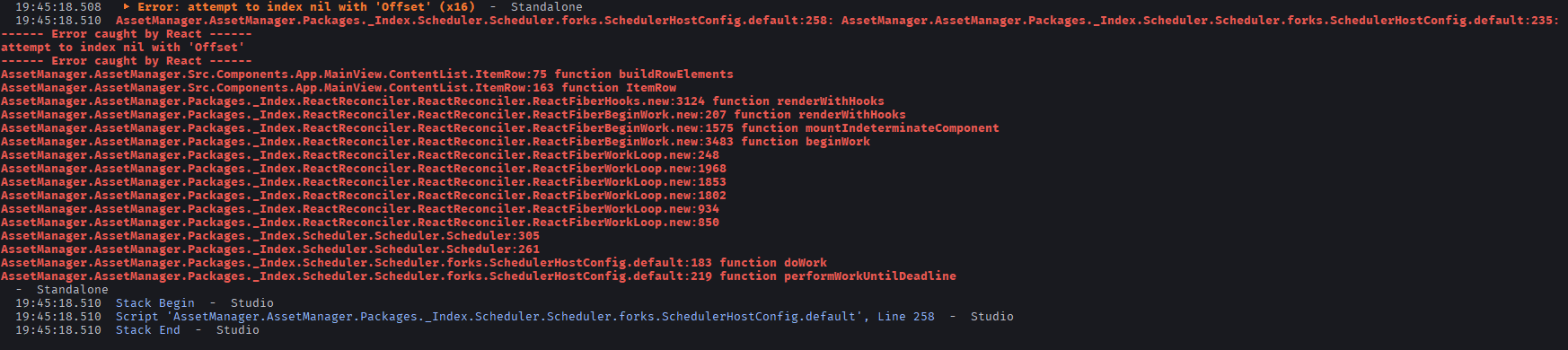
 ▶ Error: attempt to index nil with 'Offset' (x19)  -  Standalone
  19:52:49.721  AssetManager.AssetManager.Packages._Index.Scheduler.Scheduler.forks.SchedulerHostConfig.default:258: AssetManager.AssetManager.Packages._Index.Scheduler.Scheduler.forks.SchedulerHostConfig.default:235:
------ Error caught by React ------
attempt to index nil with 'Offset'
------ Error caught by React ------
AssetManager.AssetManager.Src.Components.App.MainView.ContentList.ItemRow:75 function buildRowElements
AssetManager.AssetManager.Src.Components.App.MainView.ContentList.ItemRow:163 function ItemRow
AssetManager.AssetManager.Packages._Index.ReactReconciler.ReactReconciler.ReactFiberHooks.new:3124 function renderWithHooks
AssetManager.AssetManager.Packages._Index.ReactReconciler.ReactReconciler.ReactFiberBeginWork.new:207 function renderWithHooks
AssetManager.AssetManager.Packages._Index.ReactReconciler.ReactReconciler.ReactFiberBeginWork.new:1575 function mountIndeterminateComponent
AssetManager.AssetManager.Packages._Index.ReactReconciler.ReactReconciler.ReactFiberBeginWork.new:3483 function beginWork
AssetManager.AssetManager.Packages._Index.ReactReconciler.ReactReconciler.ReactFiberWorkLoop.new:248
AssetManager.AssetManager.Packages._Index.ReactReconciler.ReactReconciler.ReactFiberWorkLoop.new:1968
AssetManager.AssetManager.Packages._Index.ReactReconciler.ReactReconciler.ReactFiberWorkLoop.new:1853
AssetManager.AssetManager.Packages._Index.ReactReconciler.ReactReconciler.ReactFiberWorkLoop.new:1802
AssetManager.AssetManager.Packages._Index.ReactReconciler.ReactReconciler.ReactFiberWorkLoop.new:934
AssetManager.AssetManager.Packages._Index.ReactReconciler.ReactReconciler.ReactFiberWorkLoop.new:850
AssetManager.AssetManager.Packages._Index.Scheduler.Scheduler.Scheduler:305
AssetManager.AssetManager.Packages._Index.Scheduler.Scheduler.Scheduler:261
AssetManager.AssetManager.Packages._Index.Scheduler.Scheduler.forks.SchedulerHostConfig.default:183 function doWork
AssetManager.AssetManager.Packages._Index.Scheduler.Scheduler.forks.SchedulerHostConfig.default:219 function performWorkUntilDeadline
  -  Standalone
  19:52:49.721  Stack Begin  -  Studio
  19:52:49.721  Script 'AssetManager.AssetManager.Packages._Index.Scheduler.Scheduler.forks.SchedulerHostConfig.default', Line 258  -  Studio
  19:52:49.721  Stack End  -  Studio
 This is something we’re aware of and will have a fix for very soon (should be this week).