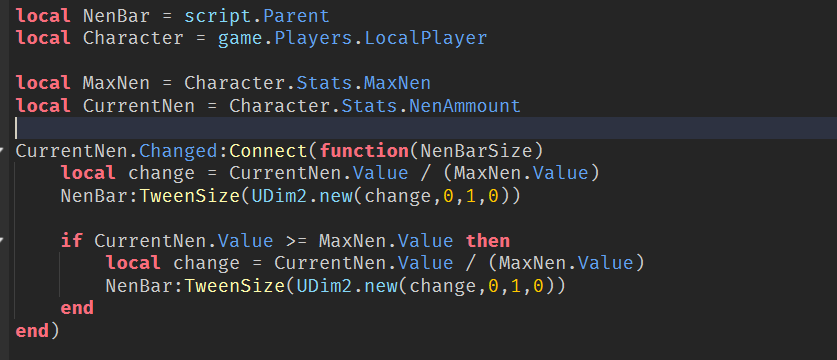
You can write your topic however you want, but you need to answer these questions:
What do you want to achieve? Keep it simple and clear!
I’d like to have my white bar GUI Fill up smoothly instead of stopping after one instance of value increase
Example: Nen value is at 60 and when holding C it goes to 100 but the GUI bar stops at 70
I hope that makes sense
What is the issue? Include screenshots / videos if possible!
When holding down the charge button [C key] the value changes too quickly and GUI does only updates once
What solutions have you tried so far? Did you look for solutions on the Developer Hub?
I have seen people mention RemoteEvents though I have no idea how to go about it
I couldn’t find or think of any other way to fix the issue, for a time I thought it had to do with the scrip itself though I’m fairly confident it’s got to do with GUI updating
you should use the MaxNen variable you created instead of the hardcoded 100 inside the Server Script, I think that’s why your UI doesn’t seem to “go up all the way”, because you calculate the width of the bar with the real MaxNen, but you don’t have the limit being MaxNen, so it can never go above that, like this:
looking at the code with my patches, it should definitely be working properly like you intended. perhaps there is an error with the sizing of the UI that you made a mistake with?
try checking the containers/parents of the bar and seeing if their size isn’t fully to the right, because that means any child that uses the scale size won’t be able to get to the max.
Sadly none of that helped
Would you perchance be willing to hop on a call?
If not it’s alright, I’m sure ill figure it out at some point
my user is “eggnogsama”