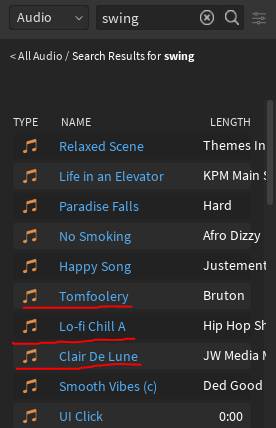
For the past couple of days, I’ve noticed that the Roblox toolbox search has become REALLY inaccurate.
Example:
These sound effects have nothing to do with the search. Also, it might be worth mentioning that these sounds show up almost every time I search for anything.
All of this is not only annoying, but it makes it impossible for small developers to find good (or any) sound effects, so if anyone has any ideas on how to fix this or how I would actually find sound effects, please let me know.
If you’re unable to find anything you like off Roblox, then maybe it’s about time you learn to edit audios?
You can search for royalty free sound sites and take snippets of sounds that allow you to. Edit those audios to your liking using audacity or what not then upload them to Roblox your self. You can upload up to 100 sounds per month if you were to be a verified user; that way if you can’t find any sounds you like then you can simply make them your self.