many games seem to have a custom camera system, but the camera can go behind objects temporarily, without popping back to the closest point from the camera’s origin raycasted, and if the camera is moving quickly, and can go through objects if moving very quickly, but pops back to the correct distance once the camera speed is slower
how can i do this
my one (raycasts from head)
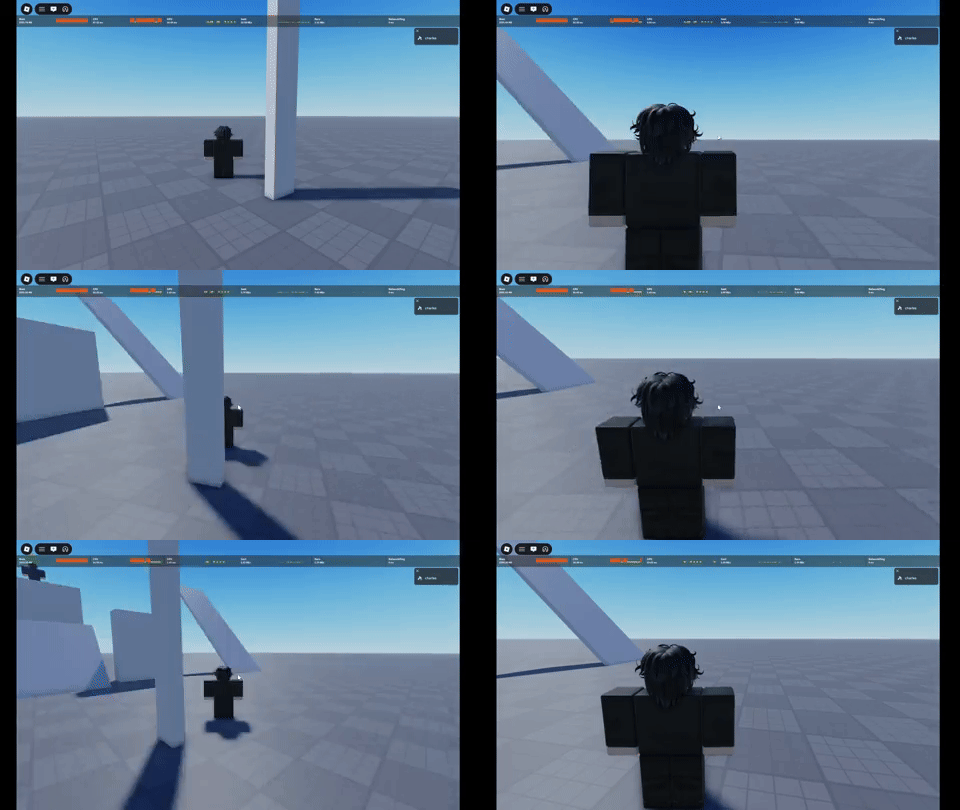
game with this obstructing camera thing (jjs)
how
They probably just use a simple raycast between the head and the camera and place the camera at the raycast hit point if it hits anything. The reason it doesn’t do that at fast speeds is because it goes so fast there is no frame that has the object get hit by the raycast.
if you look at the second gif (sorry it didnt load) its not going quickly while im walking horizontally, yet it still allows the camera to stay at the back
Ah I didn’t see that one. I am guessing they only apply the camera re-adjust if it stays obstructed for x amount of time * some other factor or something like that.
1 Like
This is just the default Roblox camera occlusion behavior, from PopperCam, since around 2017, so most games will have this behavior unless they’ve explicitly disabled it or are using older playerscripts that pop immediately. The current behavior defers popping the camera to the other side of an obstruction if the current trajectory of your moving camera will reach a point where it can see the avatar again in less than about 1.25 seconds.
1 Like
