Hello, I’m having a problem with GUI scaling. My imagelabel isn’t scaling as I want it to. How can I fix this? (I have anchorpoint set to 0.5, 0.5; size on scale.)
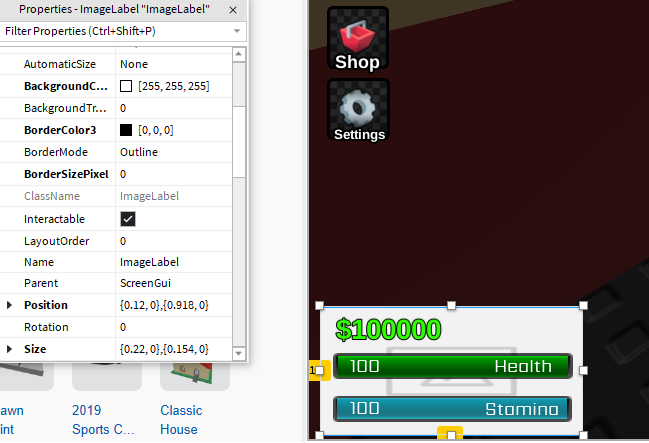

Maybe one of your frame (ImageLabel.Parent) not using scale feature, double check for sure
2 Likes
tried but it didnt helped Maybe I’m being stupid, if anything
Can you send me this UI as file, I’ll try to solve this problem
1 Like
guifile.rbxm (12,2 КБ)
Try using an UIAspectRatioConstraint inside it and changing the AspectRatio property to your liking.
Example bellow:


1 Like

Your UI lacks structure, why aren’t they packed together inside the background image?
Is “tray” where health and stamina are? And is “1” the money?? You should rename “1” if so, and move them both inside of “Texture”.
Remember, if you want UI elements to stay together, put them together inside a Frame or whatever you need for it to look how you want it to.
Also, you don’t need a new ScreenGUI for every new UI element.
BTW you should set the anchor point to (0,1) and position to something like {0,12,1,-12}
1 Like
why? im no UI designer but this just sounds inefficient
Anchor Point (0.5, 0.5) isn’t for everything, just for things centered, the anchor point being on bottom left is way better in this case, as it’s positioned bottom left of the screen.
1 Like
OP wants to center it and bottom left so it would be 0 on x axis and 1 on y axis to reach that area.
1 Like
This topic was automatically closed 14 days after the last reply. New replies are no longer allowed.