Kinda late to making this since EditableImage was announced like a month ago, but also kinda early because it’s still in beta as of this writing . Someone probably already beat me to making this, but this is my own take!11!!11!1
Essentially, how it works is I’m raycasting a whole bunch of points relative to the player and the camera. The raycasting is multithreaded via Parallel Luau v2. I just get the color/material color of whatever it hits and then render it with an EditableImage.
Performance wise, it’s pretty decent on my PC (Ryzen 5 2400G) at 8 threads and total ~6 milliseconds. That’s more than enough to sustain 60 fps at 64x64 resolution updating every frame. You can still extract more performance by cheating and having the render be spread across several frames. Just know that it’s impossible to get a pixel-accurate minimap because that would fry your CPU with millions of raycasts per frame.
Older screenshot on the top, newer one on the bottom:
There’s depth perception too, things below you will get darker until it becomes 100% black (which is when it escapes the raycast scan distance.) I also added a bit of noise to the rendering so it doesn’t look so flat.
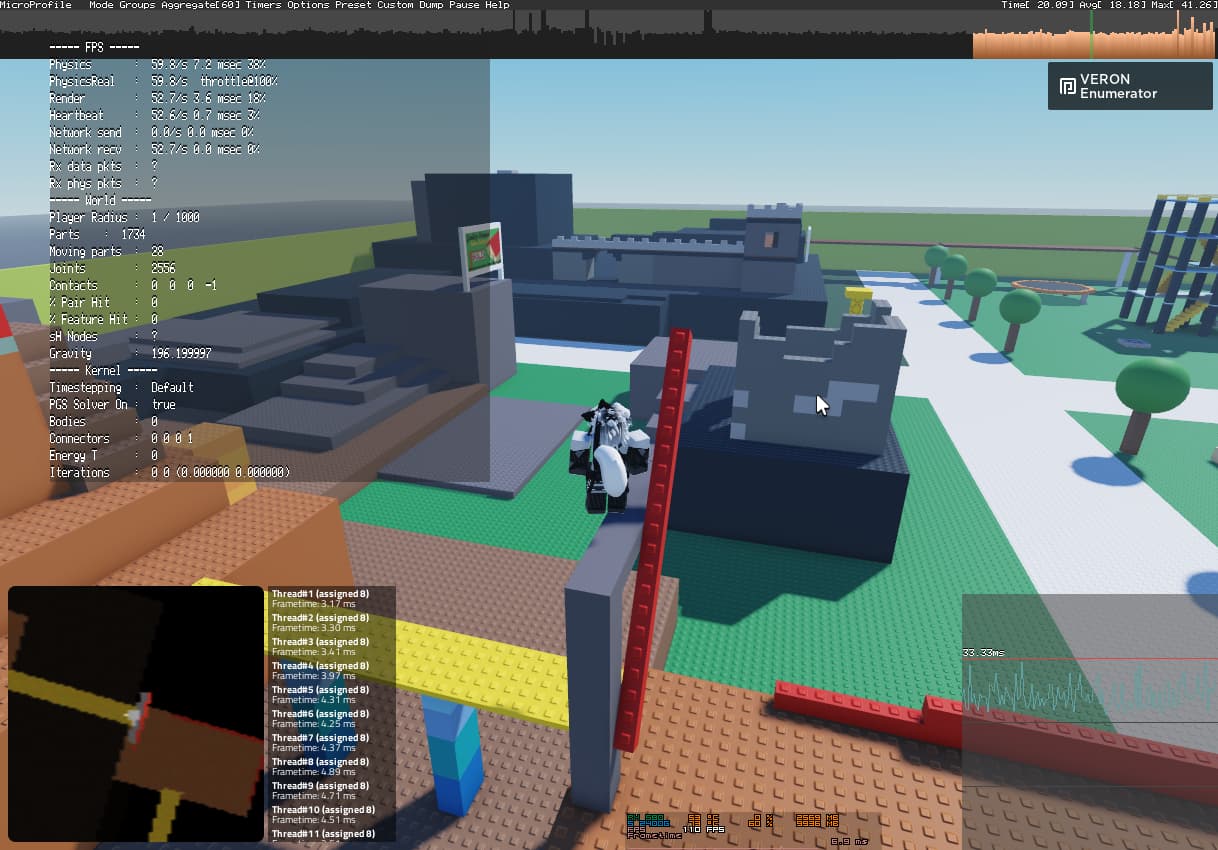
Bottlenecked by raycasts. This is quite literally the best you can do. The EditableImage itself can definitely update every frame, but not so much with the thousands of raycasts.
You can hover over the minimap to temporarily zoom in at full res at the cost of performance. Not really supposed to move around with it, it’s for you to take a quick look when it’s too blurry by default
Wouldn’t it be better to just have an editable image of the entire map and then just rotate/resize the frame? Or do some partioning to prevent the glitchiness a little bit.
Yeah, but your raycasting to information you already have, I would more or less look at parts that have a change in size, cframe, color, and only then would I raycast in that area instead of the full map to update the editable image. And unless something new appears on the side, you can just offset the frame by the resolution your rays are at.
Easier said than done. Sure, it’s trivial to detect changes, but what does that mean in the minimap? You need to figure out the extents/the area that a part takes up, accounting for its rotation, or even worse, figuring out the projection area of a meshpart, which is a whole challenge on its own. You could try to raycast around the mesh to estimate its outline area, or you could decompose the mesh and use clever math to precisely calculate the hull and then rasterize it. You then need to remember the “blacklist” area of these parts and store them in memory so you know to avoid them. The overhead from all of these operations might not be worthwhile and you’re better off just raycasting everything as-is.
Your right, but this problem is already solved, you get the corners of the object (GetExtentsSize() for models) and get the max and minimum dimensions for each axis. If you mean getting that to pixel position, then it’s just a mean of scaling it with the minimap radius you have set and making it relative to the center. The raycasts themselves give you all the detail in terms of mesh fidelity, part orientation or if it’s under something. But now that you say that I see a problem with previous pixels not getting updated, I’m thinking of either raycasting the bounding box before and after the movement, or using 2 layers, one editable image background for static objects and one editable image foreground for the objects that are moving (would be even better for an editable image just for players). These can be filtered through RaycastParams if applicable.
I don’t really have a use for this right now, but I encourage you to do it, because I originally came here to see if someone made the background for a minimap using editable images which has been accomplished .