So this applies to any bundle that someone could be working on but you know how when you select a limb or a accessory attachment it shows the bounds?


This is VERY helpful when it comes to adjusting attachments.
Unfortunately this doesn’t show up when you need to adjust rig attachments
Its hard to see where the bounds for the attachment is so i circled it so you can see the difference
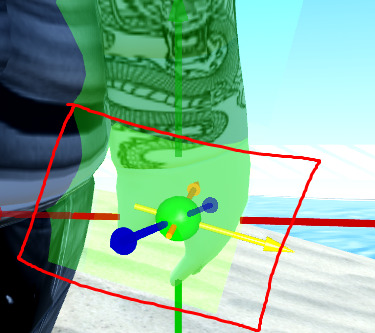
when i have the rig attachment selected, it doesn’t show where the correct bounds are

This is a MAJOR affecting bug for people that create bundles, since the validation error doesn’t even tell you where you move it to fix it, and you have to basically guess where it should go until it works
