Server microprofiler does not respect "Seconds to Record" option

When I use the server microprofiler in any game, the number of seconds recorded is always 1 regardless of what value (1-4) I input. So if the FPS is 60, the dump will only have 60 frames in it (instead of 60*4 = 240 frames if I input 4 seconds).

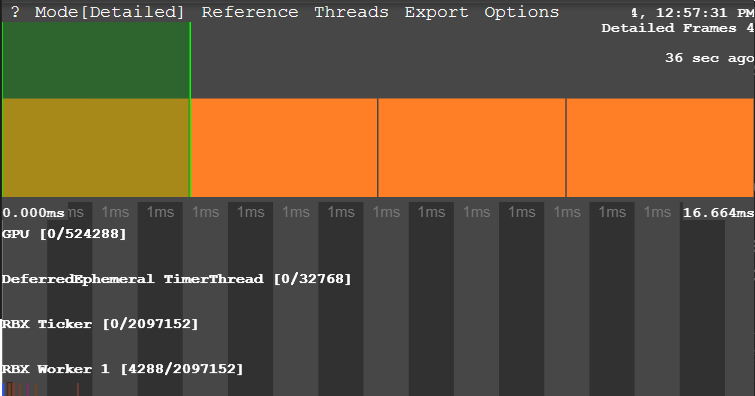
This bug has existed for as long as I have been using the microprofiler. It’s very annoying, but usually I’m too caught up in the task at hand to notice the reason why taking server profiles is always really difficult…

3 Likes

This is just an acknowledgment announcement!

We’ve filed a ticket to our internal database, and we’ll follow up when we have an update!

Thanks for the report!

2 Likes

Hello,

My apologies for updating a very old thread.

Does it work as expected if you input the total number of frames requested in the “frames per second” box? i.e.

Frames Per Second = 240 (or larger)
Seconds to Record = 4

I suspect that the issue may be that the “Frames Per Second” input is actually maximum total frames to record, and is mis-labeled.

Thanks!

2 Likes

I am away from home for a few weeks so I can’t test this, should be easy enough for you to check yourself? Thanks :slight_smile:

1 Like

Yes, it seems like this is a bug with the UI - the top input is maximum frame count (and it is clamped to 60), and the bottom input is maximum capture time.

2 Likes

Hello, the DevConsole’s MicroProfiler UI is currently being revamped! For now, the terms have been changed to “Number of frames to record” and “Seconds to delay” to better reflect what’s actually happening.

2 Likes