Hey everyone!
I made a small open source library called TableView that displays tables in an easy to read format in game. I originally built it as a debugging tool for one of my projects and decided to clean it up and share it with the community.
FEATURES
- Displays all sorts of tables with proper indentation
- Support arrays, dictionaries, numeric dictionaries, and nested tables
- Syntax highlighting for values
- Configurable settings
CONFIGURATION
TableView includes a configurable submodule so you can easily customize it’s properties without editing the library itself.
Some configurable options include:
- Value Colors
- Bolded Values
- Indentation Size
- Indentation Mode
- Line Generation Delay
- Stringed Quotes
- Array Index Visibility
- Numeric Dictionary Index Visibility
GUI SETUP
TableView’s indentation system works solely by taking advantage of UIListLayout’s CENTER ALIGNMENT property so it’s important you setup your GUI correctly.
I’d recommend using a ScrollingFrame as the base frame that way if the table is large enough you can scroll. However, a normal Frame will work fine too.
Once you have your frame setup as you like you must insert a UIListLayout to it. Make sure that the Vertical Alignment property is set to center.
Lastly, you’ve got to create the Template TextLabel. I would recommend using Scaled sizes so the indentation system is more predictable. Also make sure to enable RichText if you’d like the values to be colored. You should also set the Visibility property of the Template to false.
P.S. If you’re using a BillboardGui, put the GUI into StarterGUI and set the Adornne to whatever object you want the GUI to show up on.
If you’d like to use my GUI it will be in the model linked at the bottom 
USE GUIDE
TableView isn’t like ordinary libraries in the essence where they are a big module with multiple callable functions. Instead, since it’s so small and simple it’s really just one function
by itself. Simply require the module in whatever script you’re using, then use the module as a function. The first parameter should be the template (a TextLabel) and the second parameter should be the table you want displayed.
local Replicated = game:GetService("ReplicatedStorage")
local Players = game:GetService("Players")

local TableView = require(Replicated:WaitForChild("TableView")

local tbl = {"A", "B", "C"}

Players.PlayerAdded:Connect(function(plr)
     local template = plr:WaitForChild("PlayerGui"):WaitForChild("DebugFrame"):WaitForChild("ScrollingFrame"):WaitForChild("Template")

     task.wait(3)
     TableView(template, tbl)
)
SHOWCASE DEMO

BASIC ARRAY

BASIC DICTIONARY

DEEP NESTING

INVENTORY SETUP

PLAYER DATA SETUP
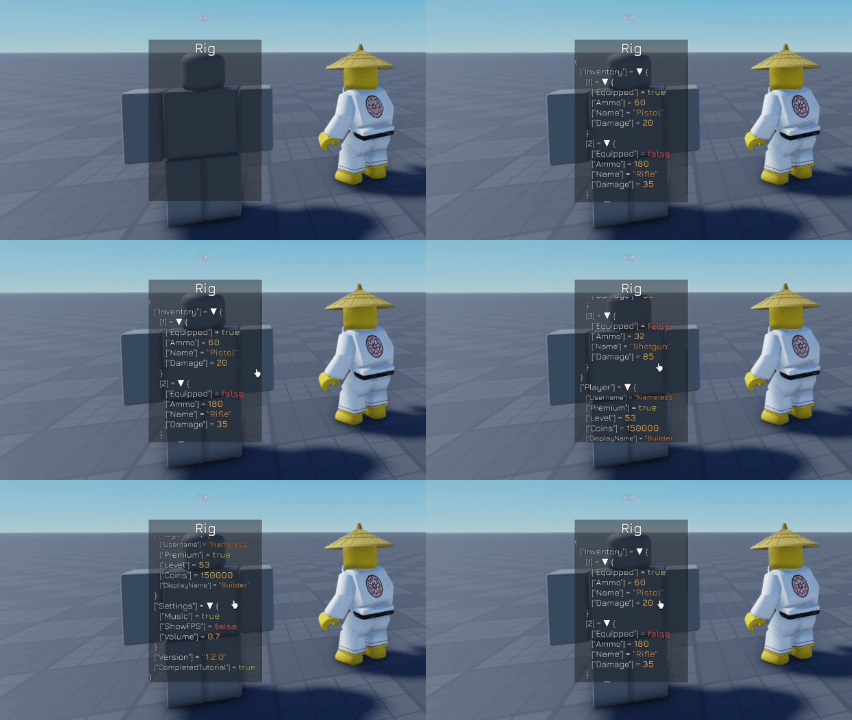
FULL DATA SYSTEM
DOWNLOADS
SETUP FILE HERE → https://create.roblox.com/store/asset/111966730805764/TableViewSetup
I hope you guys enjoy my open source TableView. If you guys experience any bugs or problems please let me know and I’ll try and fix 'em. Furthermore, if you guys have any ideas for the library that you would like to see me implement share them down below and I may just add them!
– NamelessGameDev