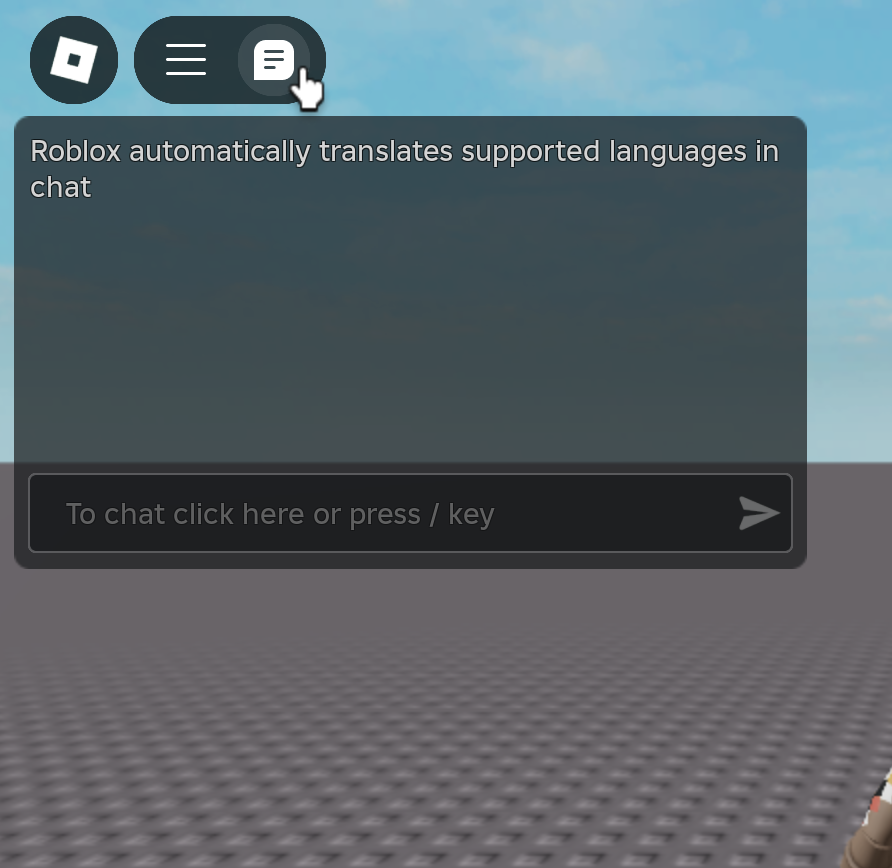
Create a LocalScript in StarterPlayerScripts and put this code in it:
local starterGui = game:GetService('StarterGui')

local function trySetCore(parameterName: string, value: any)
	local ok = pcall(starterGui.SetCore, starterGui, parameterName, value)

	while not ok do
		ok = pcall(starterGui.SetCore, starterGui, parameterName, value)
		task.wait()
	end
end


trySetCore('TopbarEnabled', false)
Run The game
Expected behavior
In the old coregui (2020+) the coregui features like the chat, backpack, emotes were disabled when calling SetCore(‘TopbarEnabled’, false) but in the new one the buttons for those features aren’t hidden even though the actual parts are disabled and the chat gui is still enabled
Apologies for the bump but this is still an issue as of Release 684 and it doesn’t matter where the localscript is placed. It’s even broken on the client.
Another thing I’ve noticed is starterGui:SetCoreGuiEnabled(CoreGuiType, bool) doesn’t work in Studio either unless the localscript parented to specifically player.PlayerGui. In the client, it works in both StarterPlayerScripts and PlayerGui just fine.
@Profesornoobz1440 we will investigate soon, given this thread has not been looked at in a while we would like to know if the issue is still reproducible/relevant by you?