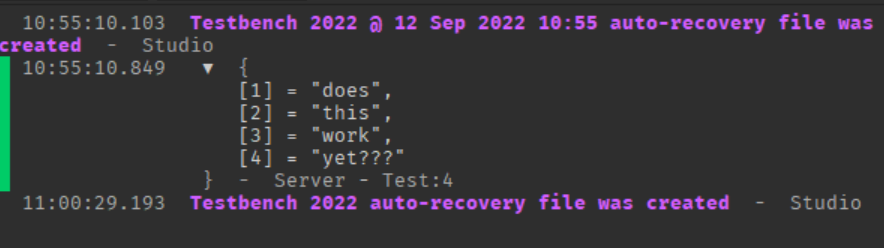
This does work well.
Only problem I have is how would I get these types globally recognized by server and client scripts?
I found out one of the ways via the Luau documentation (export keyword)
I managed to use this post, coolalex1835’s + 7z99’s reply and the Luau documentation OP linked to construct a rudimentary custom type called “Command” based off of CMDR. It’s a bit confusing to learn this stuff though.
Custom Type - Command
Type Definition Script (ServerScriptService → ModuleScript)
-- Type Definitions
-- Export this type with the Module Script so that we can access it. Not *necessary* but useful just in case
export type executable = (player : Player | nil, args : {string}) -> boolean

export type command = {
	Name : string,
	HasMetatableAccess : boolean | nil,
	Exec : executable,
	metatable : {any} | nil
} | nil

-- Type Constructors
local Command = {}

Command.New = function(name : string, metatableAccess : boolean, Exec : executable, metatable : {} | nil) : command
	local c : command = {}
	c.Name = name
	c.HasMetatableAccess = metatableAccess
	c.Exec = Exec
	c.metatable = metatable

	return c
end

return Command
Example Command using the Type Definition:
-- Require the Command Definition
local c = require(script.Parent.Command)

-- Create an Execute Function (that follows the Executable type)
function Execute(p : Player | nil, args : {string} | nil) : boolean
	print(args)
	return true
end

-- Construct and Return the command
return c.New("test", false, Execute, {})
Third Script to create and execute the command:
local c = require(script.Parent.TestCommand)

c.Exec(nil, {"does", "this", "work", "yet???"}) -- will print the table.