
DISCLAIMER: THIS IS NOTHING TO DO WITH THE ROBLOX STUDIO WORKSPACE. I OWN AN EXPERIENCE CALLED WORKSPACE AND THIS IS FOR THAT.
No. I’m not the best scripter; I used AI for half of the code.
Yes this is technically a “tutorial” since I’m uhhhhh helping people make uh fighting games…
The actual experience isn’t uncopylocked, but you can download an outdated version here:
Workspace - Download the place file here! (2.2 MB)
If you wish to play the real game, you can play it here:
Workspace - Play the official game here!
Please do not reupload the game and claim ownership.
Nobody helped me with this except one person who did nothing except decorate the grocery store
They may add more in the future. And if they request, I will remove their grocery store build from the game.
Anybody else was just not developing the game, but instead giving me ideas (AS OF WRITING THIS).
The whole point of workspace is the [spoiler]legacy roblox style, not classic Roblox or new Roblox.[/spoiler]
I’d rather people not use my work but… Hey, if it helps people make FPS and TPS games, sure, go for it.
I don’t care much about credit if you use something from the game, but you can credit me if you wish.
Workspace uses some customized classic/new meshes such as the Dynamic Man Head and some assets from The Mystery of Duvall Drive.
Workspace is an R6 experience about killing NPCS with very unfinished guns… Enemies are randomly chosen from a folder, while being easy to add/remove them, and change their code. if you wish to change an enemy’s size, put a script in their folder saying
task.wait(0.1)
script.Parent:ScaleTo(2)
If you’re gonna resize an enemy, check the attacking script inside
game.ReplicatedStorage.Assets.Rigs.Enemy.
You must change the range for that enemy by giving an object in the enemy folder a specific name that the Attacking script can recognize, same with damage if you’re going to do that.
Every Halloween, Christmas, April Fools, and Valentines the enemies will change their looks and behavior.
That’s all, please reply with reviews, or ideas for things to add.
The gun system has 3 scripts.
Yeah, I know family-friendly mode is really badly made and may not work every time…
Workspace has systems which are based off things from other experiences, most notible ones are;

Zombie Survival Tycoon
The entire art style of the game is inspired by the map from this experience. I originally found the day music songs Crystal Clear and I’m Gonna Get Up, and for the night music, Night Vision, Last Man Standing, Rocket. Also Crystal Clear and I’m Gonna Get Up are used for both day and night music.
I also used the [dev-console > memory > sounds] trick to use the same music and sounds as Zombie Graveyard Tycoon

Ultimate Town Multiplayer
I experimented with Ultimate Town Multiplayer’s weapon system while making Workspaces guns.
I also used the dev-console > memory > sounds trick to use the same audio as Ultimate Town Multiplayer

Build Defense
The idea of enemies is really good, all my games with enemies such as zombies and skeletons was always inspired by Build Defense, Also I originally found the songs Stealth Mode and Start the Echo in this game. Workspace shares many features with Build Defense such as sentries, and natural disasters like floods and tsunamis. (Which will be added in a future update)
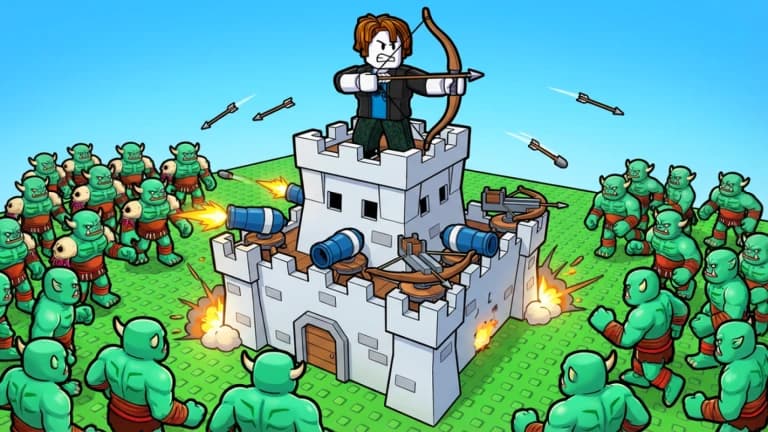
Defend your Castle
Not that many ideas have been taken from Defend your Castle
However, I noticed a tower in the game called a “Bomb Tower” which features a skeleton standing on top of an archer tower which throws bombs at enemies. This is planned to be added to Workspace soon.
Also, for some reason when I was adding enemies, I decided to skip adding Mr. Trololololo, for some odd reason, but when I noticed him in Defend your Castle, I decided to add him back as a default enemy.
Moving on, what are the similarities between Ultimate Town Multiplayer and Workspace?
Well, nothing except the gun system, the comparisons are below.


They both look completely different; however, they are both actually very similar if you play both the games. The bottom one, which is Workspace, is supposed to have a mouse cursor in the middle, but since screenshotting disables the cursor, I wasn’t able to catch it.
The bullet holes are similar to the ones in Ultimate Town Multiplayer, and the hit dust effects are nearly identical to the ones in Zombie Graveyard Tycoon, but we’re talking about Ultimate Town Multiplayer, so what makes Workspace similar to Ultimate Town Multiplayer? Weapons.
Many workspace weapons are originally from Ultimate Town Multiplayer (NOT DECOMPILED, BUT INSTEAD TAKEN FROM THE OFFICIAL ROBLOX CATALOG, WHICH IS ALSO WHERE ULTIMATE TOWN MULTIPLAYER GOT THEM!)
Will Workspace 2 ever be created and released?
It depends, if Workspace gets decently popular, there might be a Workspace 2 in a few years, but if Workspace completely fails, I will continue to work on Workspace until it gets popular. Personally, I don’t think it’s a good idea to release a 2nd game if the first one doesn’t have at least 50 players active.
But just in case anybody cares…
Here’s what I’ve done for Workspace 2 so far:

How are the hit-dust particles in Workspace similar to Zombie Graveyard Tycoon?
In Zombie Graveyard Tycoon, the dust seems to float up, then fade away instead of going back down. But Workspace is more complicated. Workspace has a 50/50 chance of which hit-dust particle to use, one looking normal, and the other looking more like regular household dust. Neither behaving like Zombie Graveyard Tycoon’s hit-dust particles.

What about the trees? how were the trees made? The pine tree leaves were not originally a mesh. They were used in many official Roblox games such as Suburban, but Workspace uses the mesh version of the tree leaves! How is it possible? Where was the mesh from? Since nobody even knows how blender works, it’s obviously a free model, which was uploaded by MrBbolt