im trying to copy the bakground of the game, but i dont know how to add particles as a ui

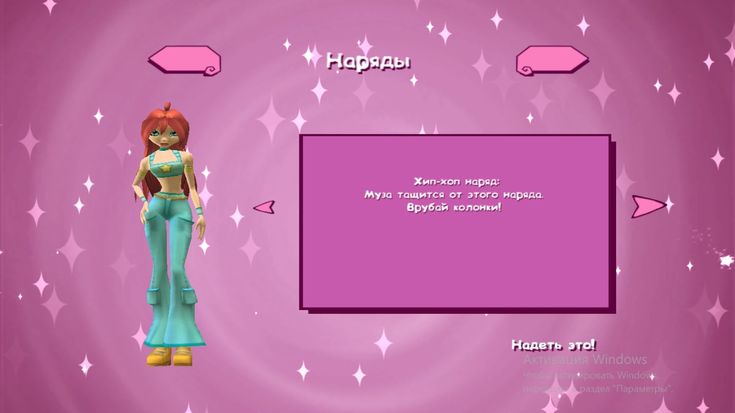
Couldn’t you just take an image (like the particle) then create a script that clones that image and makes a random transparency, size and position?
If you want you could tween it to get bigger and more transparent to give it a sparkly kinda look idk
but why there no way to add particleemitter?
Can you send me the game link by any chance or a video of how the background look while you playing the game so I can try to come up with a solution?
If you really need to use a particle emitter you can by using a viewport frame
i tried, but particles r invisible there

this is like if i press the button, but i need particles to be there by themselves when i join the place
1 Like
Which can easy be made using the module.
Is this what you want?
If that is what you want, then you can download this rbxm file
dsadsa.rbxm (4.7 KB)
To use it, you just drag the script into the ScreenGui and then set the Target value to the frame that you want to take effect, just like the sample here.
Particle emitters only work in 3d, so you have to use images to fake particles. People already made a lot of stuff to implement exactly what you are looking for
https://create.roblox.com/store/asset/9544897050/Emitter2D-Gui-Particles